




Extra Bonus

 Log in to get 50 points (0.50 USD) + 9 points (0.09 USD)
Mobile Legends: Bang Bang【No RU/VN/ID/SG/MY/PH】


Login To Claim


This product is for server players other than Russia, Vietnam, Indonesia, Singapore, Malaysia, and the Philippines.

MLBB Top Up: Get Diamonds at 30% OFF
To purchase mlbb top up with BuffBuff, you’ll need a few details:
-
Mobile Legends Account UID: Every Mobile Legends account has a User ID (UID) linked to it. This is a unique string of characters & numbers specific only to your account; this ensures every top-up with BuffBuff reaches the correct account. Copy-paste the UID whenever possible to avoid typos and failed recharges.
-
Server/Zone ID: The Server/Zone ID is required to top up with BuffBuff. This ensures the recharge reaches the correct account on the right server.
-
Applicable Platforms: mlbb top up in BuffBuff are available on both Android and iOS versions of the game!
Important Note: Please ensure the required information you enter to BuffBuff during purchase is correct to guarantee a successful top-up.
How to Find Your Mobile Legends UID/Server
Step 1: Launch Mobile Legends on your mobile device.
Step 2: If prompted, sign in to your account.
Step 3: On the main page, tap your avatar picture in the top-left corner. 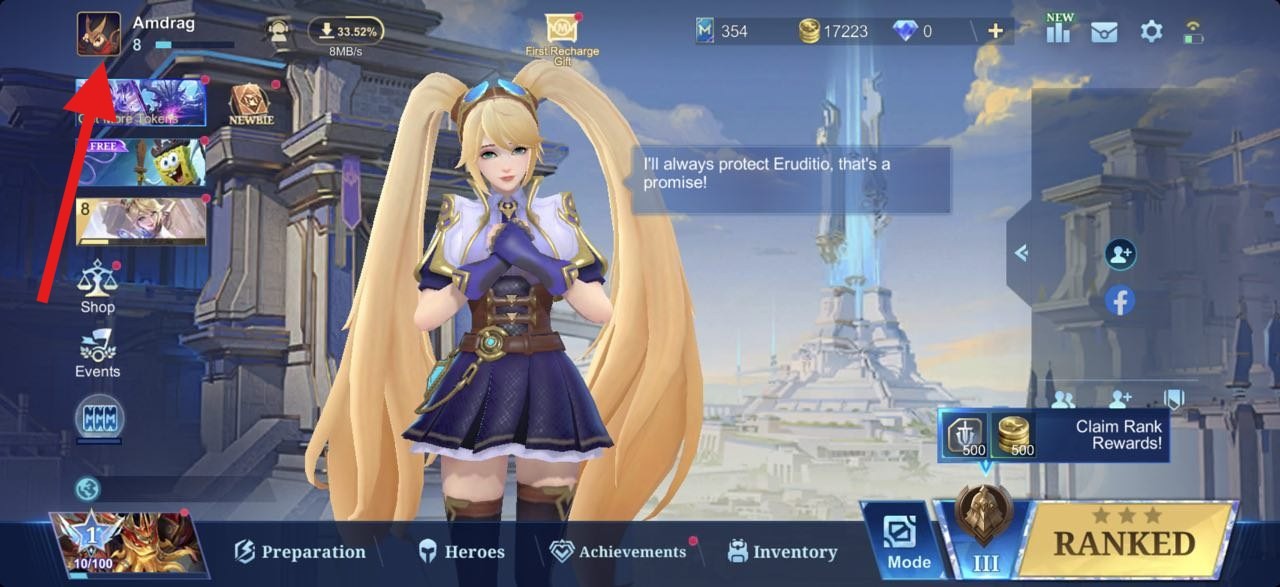
Step 4: Under your username, you’ll find two strings of numbers in the “ID” field. The first, long string of numbers is your UID. The number in brackets (e.g. 1234) is your Zone ID/server. 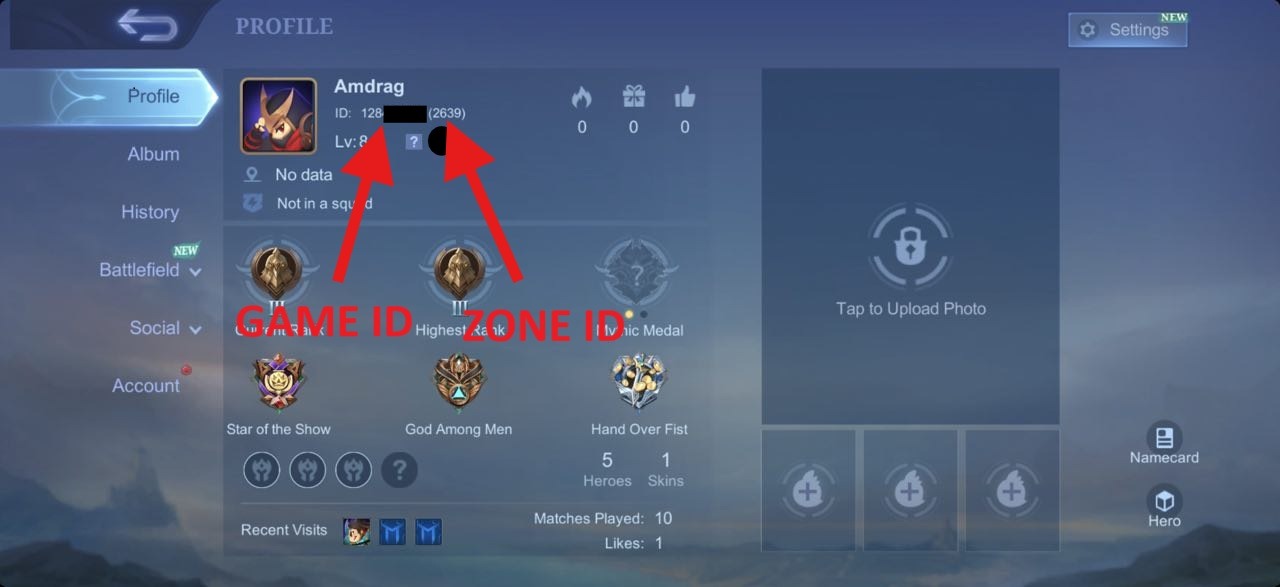
How to Recharge Diamonds in Mobile Legends
Here’s a quick guide to get a mlbb top up with BuffBuff:
Step 1: Select the amount of Diamonds you want to purchase.
Step 2: Enter your Mobile Legends Account UID & Zone ID (Server).
Step 3: Enter an email address for your BuffBuff transaction.
Step 4: Choose your payment method and complete the payment.
Step 5: In just a few minutes, your Diamonds will be delivered straight to your account!
Note: You can get free gifts by redeeming Mobile Legends Bang Bang codes.
First-Time Purchase Bonus 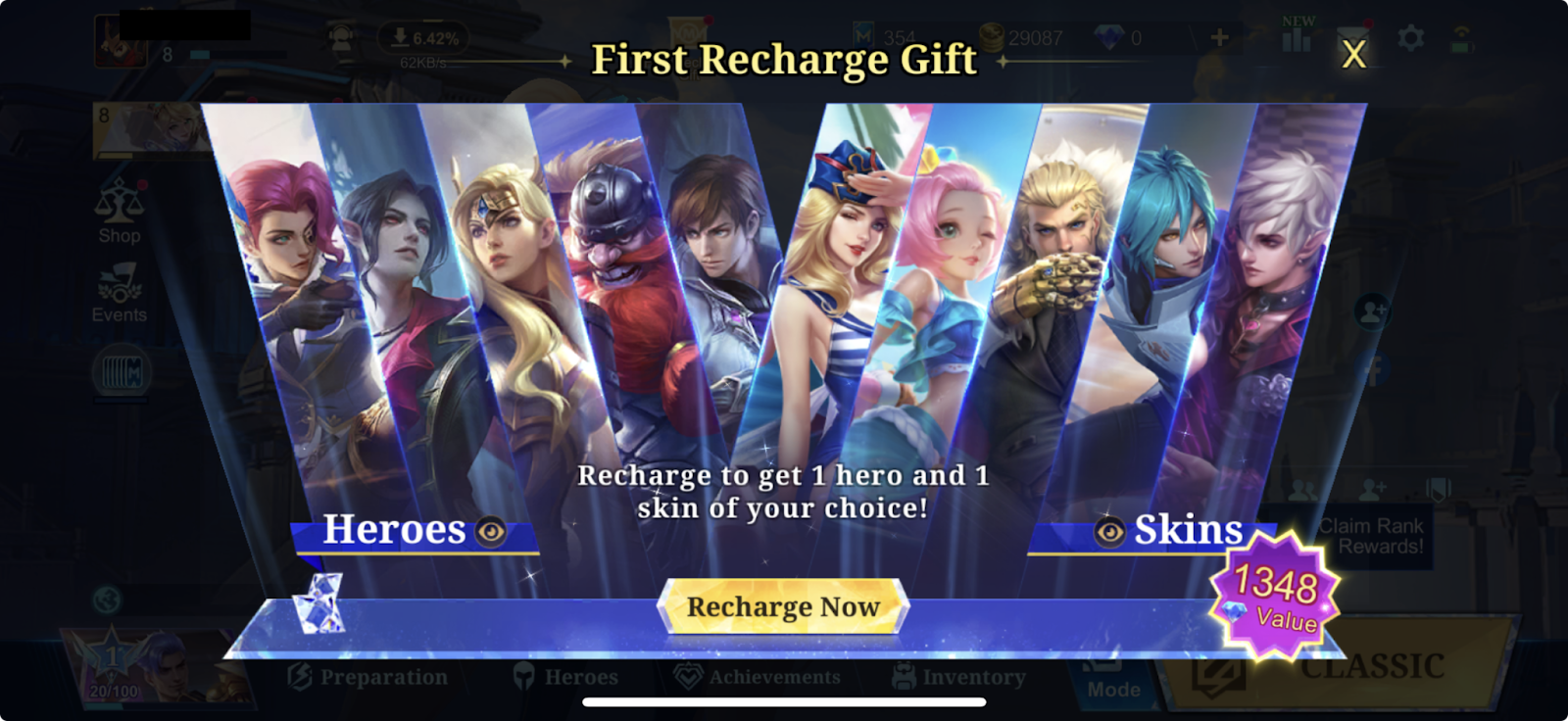
The good news is getting mlbb top up for the first time has multiple benefits and rewards! The most useful is the “First Recharge Gift”, which awards players with 1 free Hero and 1 free Skin of your choice, for any denomination top up!
This Gift has a value of 1348 Diamonds and is well-worth it alone to recharge in the Mobile Legends Diamond Shop!
Additionally, select denominations of Diamonds also have first-time top up bonuses that award double the amount purchased! Here are the available denominations for the double bonus:
-
50 Diamonds x 2 = 100 Diamonds
-
150 Diamonds x 2 = 300 Diamonds
-
250 Diamonds x 2 = 500 Diamonds
-
500 Diamonds x 2 = 1000 Diamonds
Note: The First Recharge Gift and first-time top up double bonuses may only be available in select regions. Please check in-game to see if you are eligible for the mentioned bonuses.

About Mobile Legends: Bang Bang【No RU/VN/ID/SG/MY/PH】
Developed by Moonthon, Mobile Legends: Bang Bang is a 5v5 multiplayer battle game. Players can team up in real time to fight against enermies. There are many heroes to be choosed from, including Tank, Mage, Marksman, Assassin, and Support. Each hero has unique skills. The main goal is to destroy the enemy's base while protecting your own.
What is Diamond Weekly Pass?
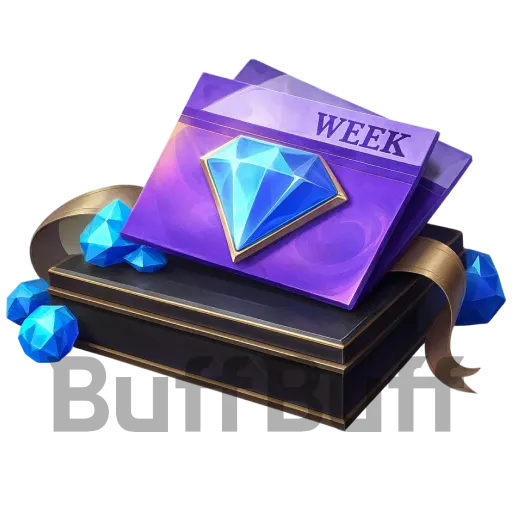
When you purchase the Diamond Weekly Pass, you will immediately receive 100 diamonds on the day of purchase. The maximum rewards for the Diamond Weekly Pass are: diamonds ×220, star points ×210, Diamond Pass Choice Set (week) ×7, and a late entry card ×1. Additionally, your purchase will increase progress towards the event task completion by 100.
What are Diamonds Used for?
After topping up Mobile Legends for diamonds, you can use them to buy heroes, hero skins, premium bundles, event items, and special cosmetics. Also, you can instantly skip the Battle Pass from level 1 to level 20 via diamonds.
Note: You can get free Mobile Legends Bang Bang on top of redeeming codes.
Is it safe to have mlbb top up from third-party sites?
As long as the site is authorized or reputable, like BuffBuff, it'safe. BuffBuff utilizes high-tech encryption technology and ensures a secure payment process.
How long does a mlbb top up take?
Most can be delivered instantly after payment. Sometimes, it might take a few minutes. If you don't receive the item, feel free to contact our support team service@buffbuff.com
User Reviews


Trending News

Latest Mobile Legends Redeem Codes in July 2026💎
2026-07-23

Mobile Legends: Bang Bang ALLSTAR 2025 - Dinosaur Events & Monster Energy Collab
2025-06-25

Mobile Legends: Bang Bang is gearing up for the Women’s Invitational Esports World Cup 2025
2025-06-07

Mobile Legends: Bang Bang (MLBB) June 2025 ‘Gord’ Starlight Pass Details
2025-05-28

This account has already received the First Bonus, it will not be issued again this time