Popular Games
 All Games




How to Download PUBG Mobile Flash (Android & iOS)
2026-11-12

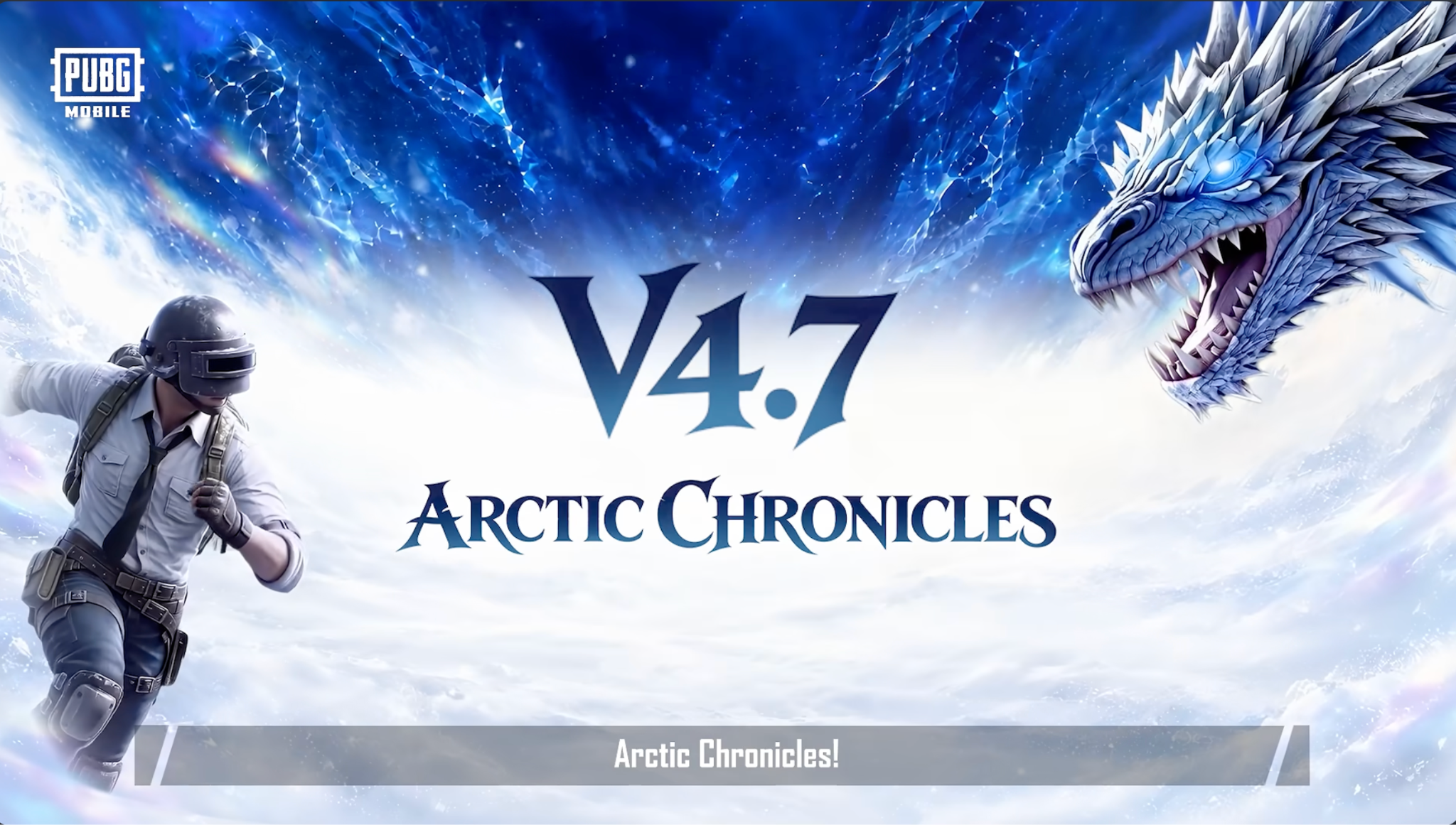
PUBG Mobile Flash is the lightweight version you've been waiting for. It's available globally, but depending on your region, it might be missing from Google Play or the Apple App Store—especially in Russia. Even if you just want a hassle-free install, we've got you covered.
Here is the exact workaround. The best part? Your account, friends, and UC top-ups are fully shared with the main game.
(Before you jump in, check out our latest PUBG MOBILE redeem codes 👈 for free rewards.)
How to Download PUBG Mobile Flash Without Google Play (Android)
For players in Russia, the game isn't on the local Google Play Store. And for anyone else who wants a direct, clean package without the hassle, our platform is the easiest way.
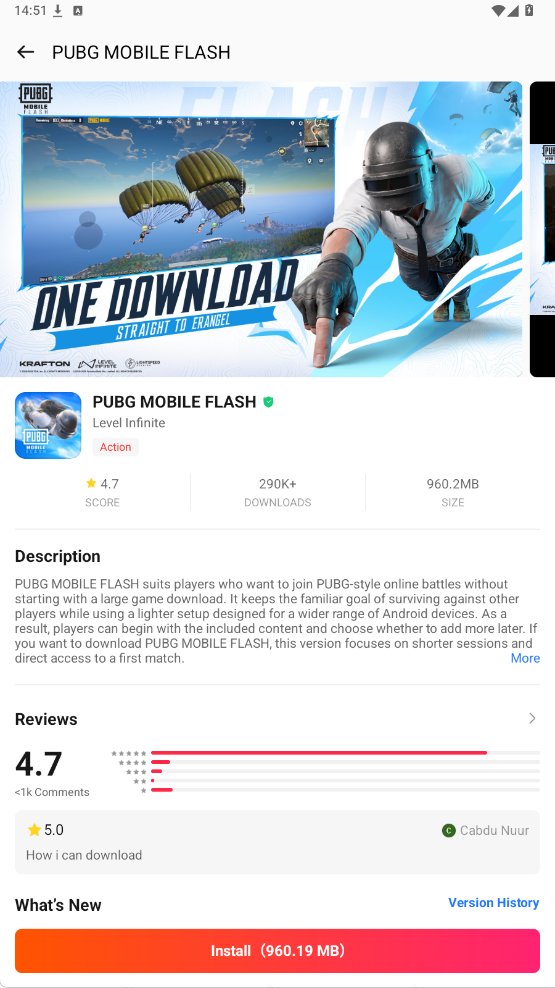
Via the BuffBuff App Store
Honestly, hunting around random websites every single patch is a massive pain. Just grab the BuffBuff APK instead—all the latest game builds are right there, ready to install in one tap.
- Use the BuffBuff card below to download and install BuffBuff on your Android phone.
- Open BuffBuff and search for "PUBG Mobile Flash".
- Tap install, and BuffBuff handles the download and any future updates automatically.

BuffBuff is a game store and top up app that delivers affordable in game currency with instant, secure checkout.
Once that finishes, fire up the game and sign in with your main account right away. No sketchy third-party pubg mobile flash apk mirrors needed.
Pro Tip: Good news if you like buying UC! We’ve confirmed that UC top-ups for PUBG Mobile and PUBG Mobile Flash are fully shared. If you top up your UC here on our PUBG Mobile top-up page 👈, your balance and purchased items will sync perfectly across both the main game and Flash. No need to worry about losing your coins when you switch between apps.
PUBG Mobile Flash Download for iOS (App Store Method)
If you are playing from the US, UK, or other supported regions, you can likely find PUBG Mobile Flash directly on your local App Store. No tricks needed.
However, if you are in Russia or your local App Store hasn't updated yet, you won't find it. You must change your Apple ID region to download the game. Look, BuffBuff and our App Cards only work on Android, so for iOS, this region switch is your only workaround.
(Note: Screenshots below use the Russian iOS interface, as this is the primary workaround for RU players. The icon paths remain the same for all languages.)
Step 1: Change Apple ID Region to the US
You cannot find PUBG Mobile Flash in the Russian App Store. You need to change your region to the US.
- Open the App Store and tap your profile icon in the top right corner.
- Tap your Apple ID, then select "Country/Region" (Страна или регион).
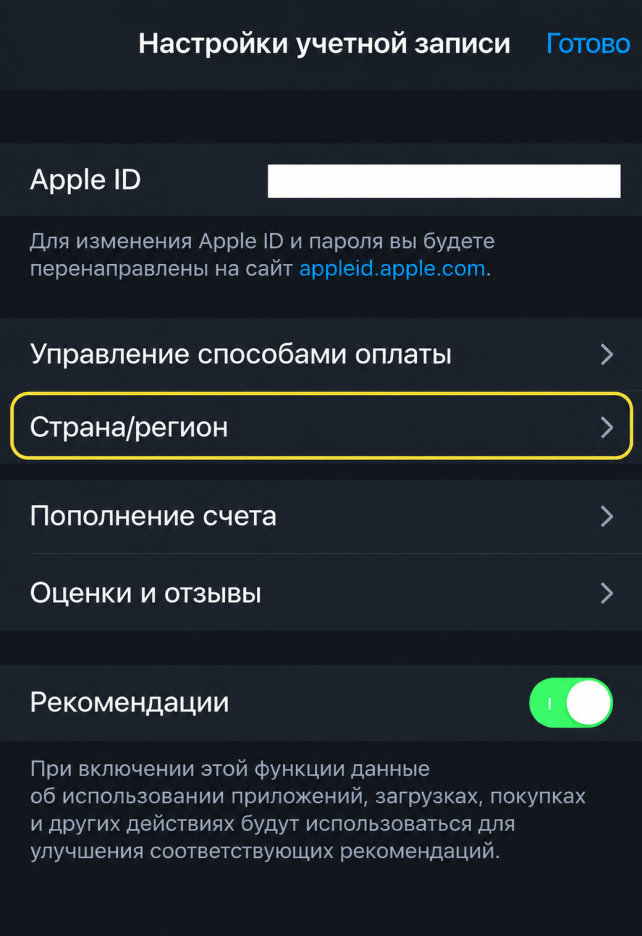
3. Tap "Change Country or Region" (Изменить страну или регион) and select "United States" (Соединенные Штаты).
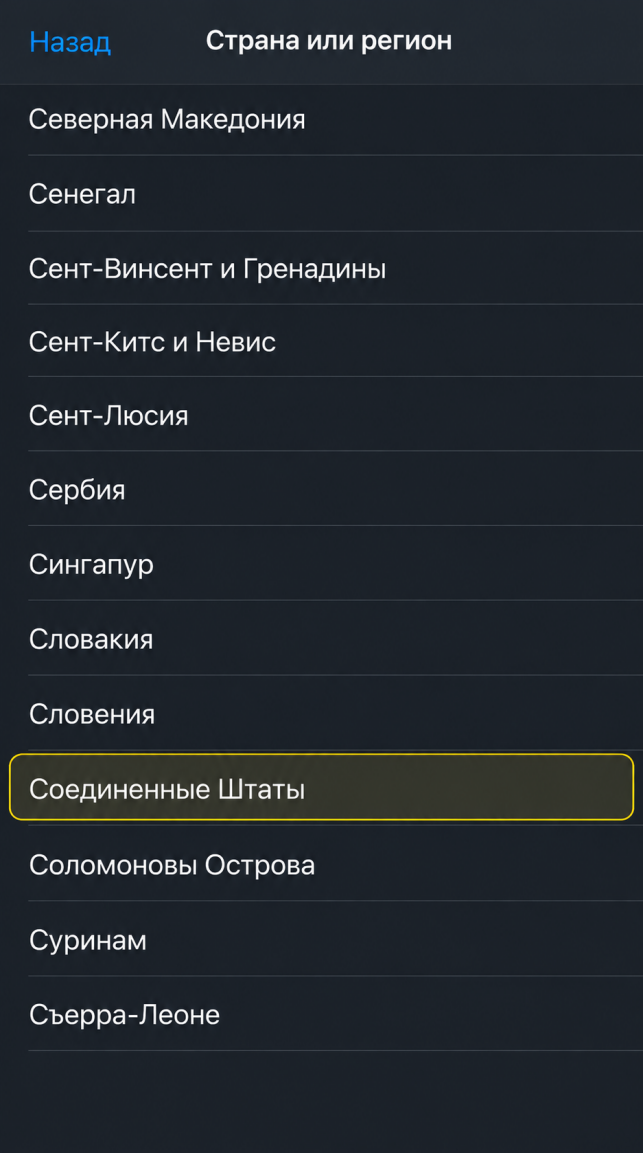
4. Accept the Terms and Conditions (Принять).
Step 2: Fill in Billing Info (No Credit Card Needed)
- For Payment Method (Способ оплаты), select "None" (Нет).
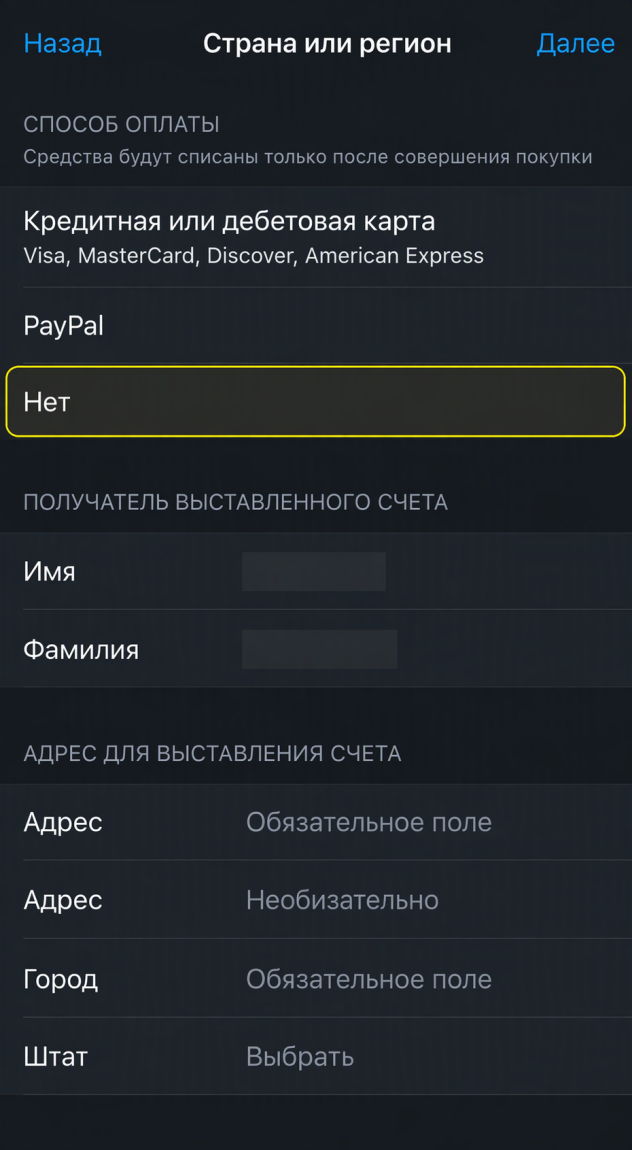
2. Enter your First and Last Name (Имя, Фамилия) using English letters.
3. Enter a US address (Адрес) (e.g., Street: Loustreet 16, City: New York).
4. Select the state (Штат) New York (Нью-Йорк).
5. Enter the postal code (Индекс) 10001 (if it fails, try 35004).
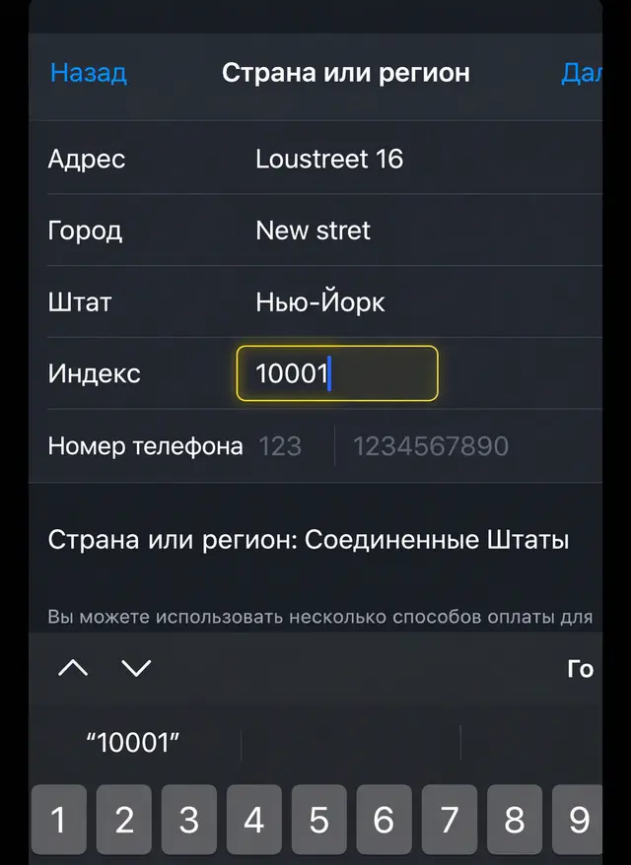
6.Enter a random phone number (Номер телефона) (start with 123, followed by any 7 digits).
7. Tap "Next" (Далее) in the top right corner to save.
Step 3: Download PUBG Mobile Flash
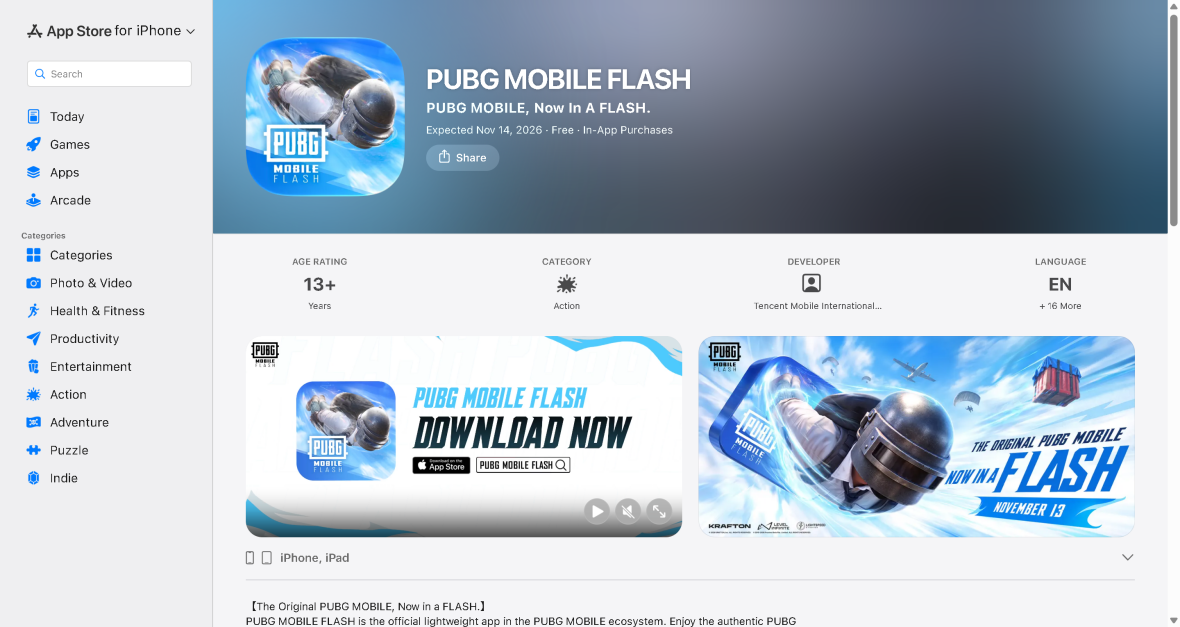
Head back to the App Store, search for PUBG Mobile Flash, and hit download (ЗАГРУЗИТЬ).
(Note: PUBG Mobile Flash doesn't block IPs, so you do not need any VPN or DNS setup to play!)
What Is PUBG Mobile Flash?
You probably remember this as the old pubg mobile flash lite build. The devs officially rebranded it in September 2026, and it's a whole different beast now.
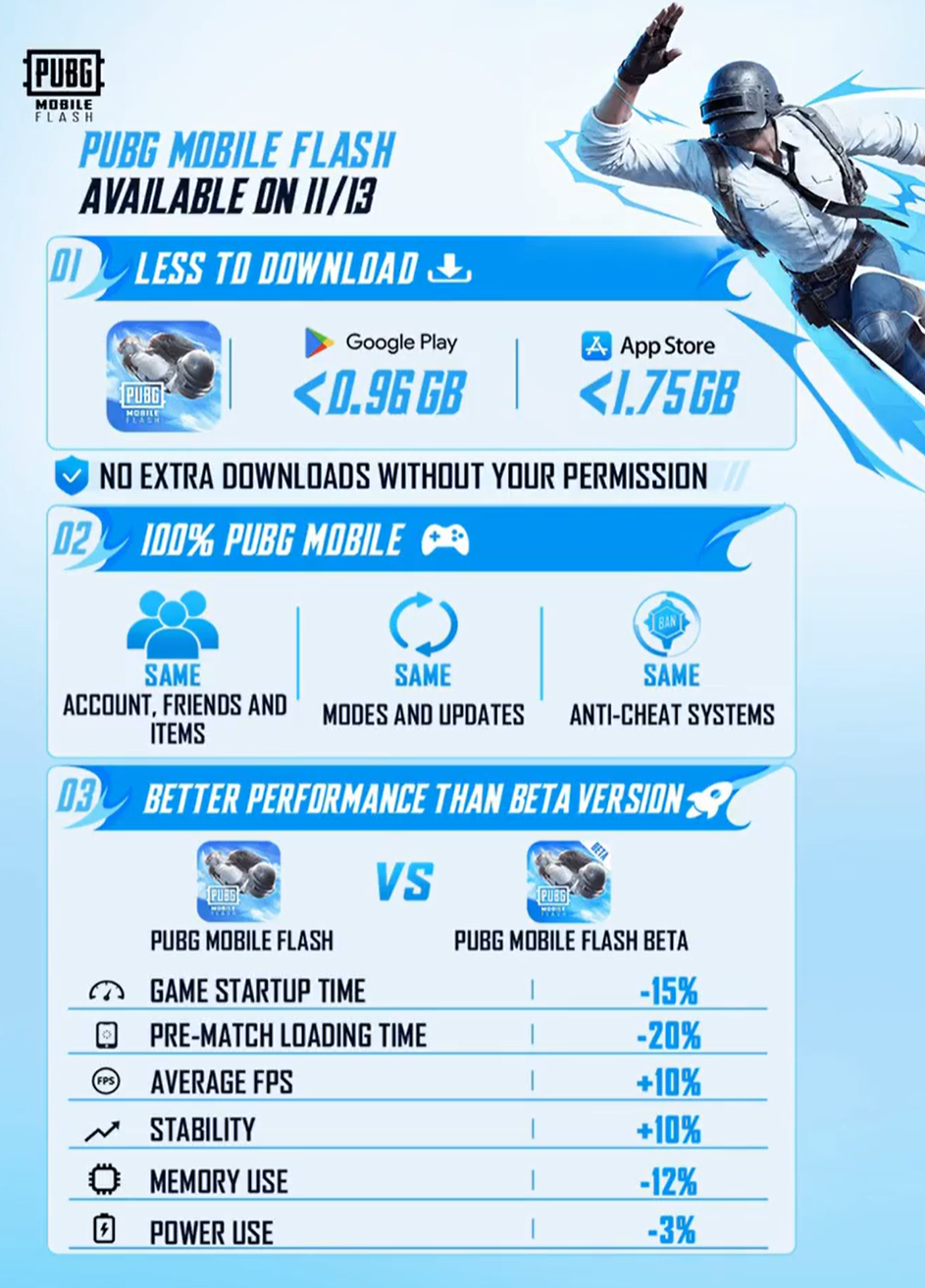
Unlike the old Lite, Flash plugs directly into the main PUBG Mobile servers. You keep your pubg mobile flash account, friends, and every skin you own. Cross-play and UC balance are fully synced between both apps.
So why switch? Storage space.
The pubg mobile flash size stays under 0.96 GB on Android and under 1.75 GB on iOS. Compare that to the bloated 10GB+ standard client. You can finally install it without deleting your photos or music.
Plus, you only download the maps you actually play. For pubg mobile flash maps, Erangel comes pre-installed so you can play immediately. Want pubg mobile flash miramar later? Just grab it individually. During the beta, Rondo was roughly 465 MB, and Miramar was a tiny 331 MB. Even better, the latest pubg mobile flash update lets you delete old maps anytime to save more room.
Is PUBG Mobile Flash Released?
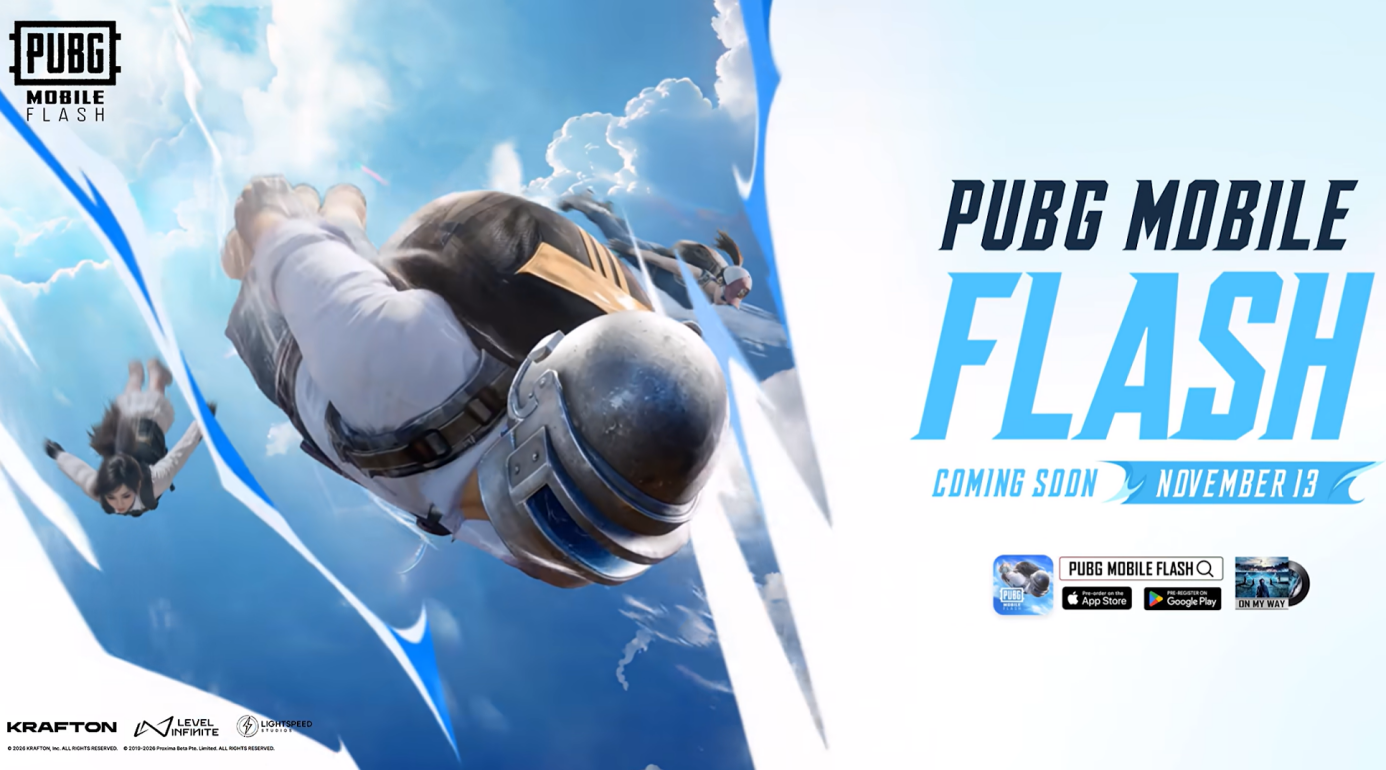
Yep, it is officially live. The pubg mobile flash release date hit on November 13, 2026. If you pre-ordered on iOS, the app should already be sitting on your home screen.
Here is the quick timeline of how we got here:
| Date | Milestone |
| August 25, 2026 | Pre-registration opened under the name PUBG Mobile LIGHT |
| September 24, 2026 | Official rebrand to PUBG Mobile FLASH. Existing pre-registrations carried over |
| November 12, 2026 | Main PUBG Mobile Version 4.7 update goes live |
| November 13, 2026 | Global launch on Android and iOS |
The exact pubg mobile flash release time depends on your local time zone, though servers are up globally right now. If you are wondering is pubg mobile flash launched in your region, remember it’s a worldwide rollout, but some local stores were skipped. That is why grabbing it through BuffBuff on Android is easily your best bet.
(If you knocked out the pubg mobile flash pre registration earlier this year, log in now—your rewards should be waiting in your mailbox!)
What Are the PUBG Mobile Flash Requirements?
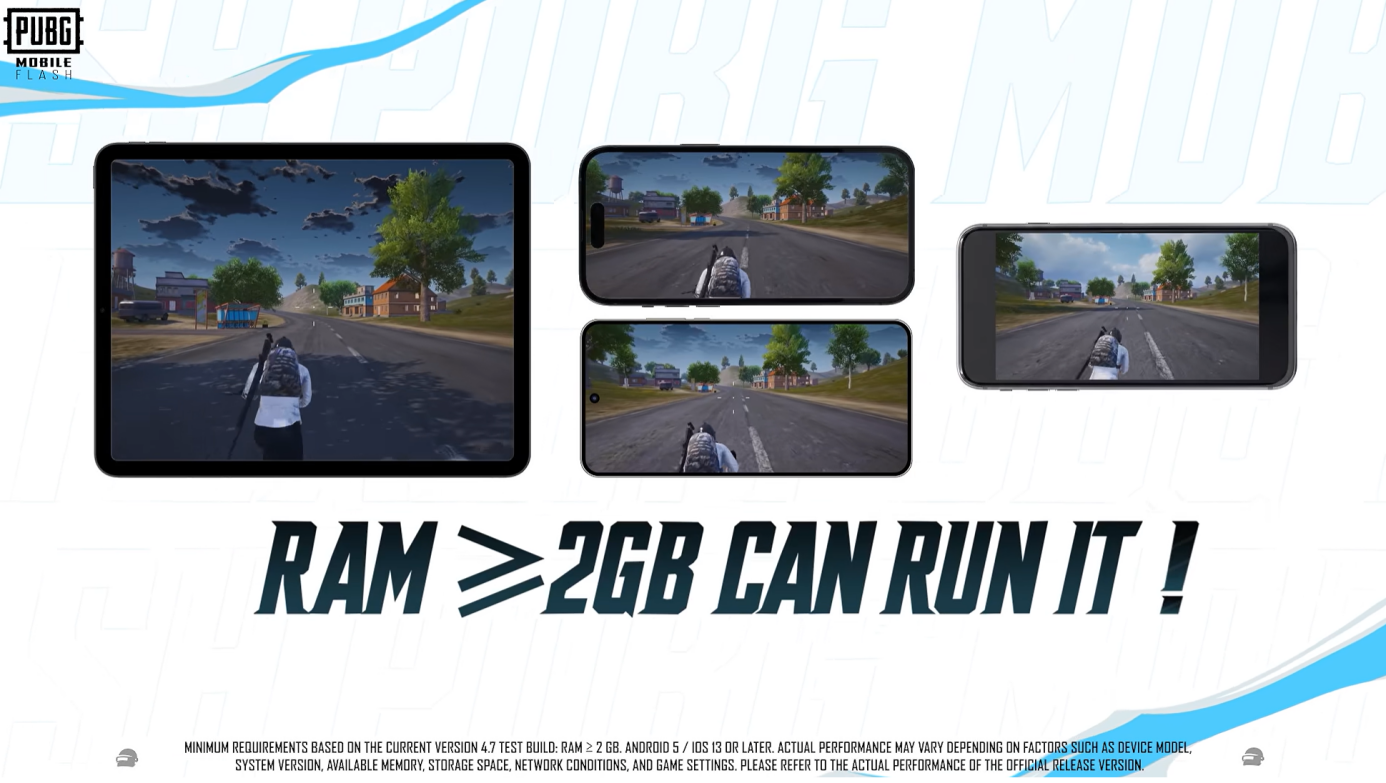
Tons of players keep asking about pubg mobile flash ram and pubg mobile flash ios requirements. The studio hasn't dropped a full chip list yet, but here are the locked-in specs for Android and iOS:
| Platform | Official Requirement |
| Android OS | Android 5.0 or higher |
| Android RAM | 2 GB minimum |
| iOS | iOS 13.0 or later |
| Initial Download | < 0.96 GB (Android) / < 1.75 GB (iOS) |
Double-check that your phone clears these pubg mobile flash system requirements before downloading. Honestly, if you bought your device anytime in the last few years, you're totally fine.
PUBG Mobile Flash vs PUBG Mobile: What's the Difference?
People ask about this non-stop on Reddit. The short answer? The main game forces you to download a massive 10GB+ client with all maps, while Flash starts at under 0.96 GB and lets you download optional maps only when you want to play them.
If you are sick of deleting photos every single time a patch drops, Flash is a total lifesaver. You keep your squad and your skins, and the game stops eating your phone storage alive.
Conclusion
Getting PUBG Mobile Flash running on your phone is super easy right now. Android players (especially in Russia where it's missing from the Play Store) can grab the build instantly inside the BuffBuff app. iOS folks just need a quick region swap.
Once it finishes downloading, you're good to drop straight into Erangel!
If you want to check out the latest content for the main game, head over to our PUBG Mobile 4.7 Update guide.

PUBG MOBILE FLASH is a battle royale game that offers fast online survival matches on Android phones.