Popular Games
 All Games








Extra Bonus

 Log in to get 50 points (0.50 USD) + 4 points (0.04 USD)
Roblox


Login To Claim


Log in to recharge. Submit info in order details after payment.


Roblox Top Up Buy Robux at 20% OFF & Safer and Cheaper
Before you proceed with your Roblox top up on BuffBuff, it is essential to have your account details ready. You will typically need the following:
Roblox Top Up Information Required:
1. Game Account:This is your game login account, which can be an email
address, phone number, or account name.
2. Password:The password required for game login.
Quick and Easy Robux Recharge Steps for Roblox Top Up
1. Select the item you wish to recharge.
2. Enter your account information (game login account, password).
3. Choose your preferred payment method and complete the payment.
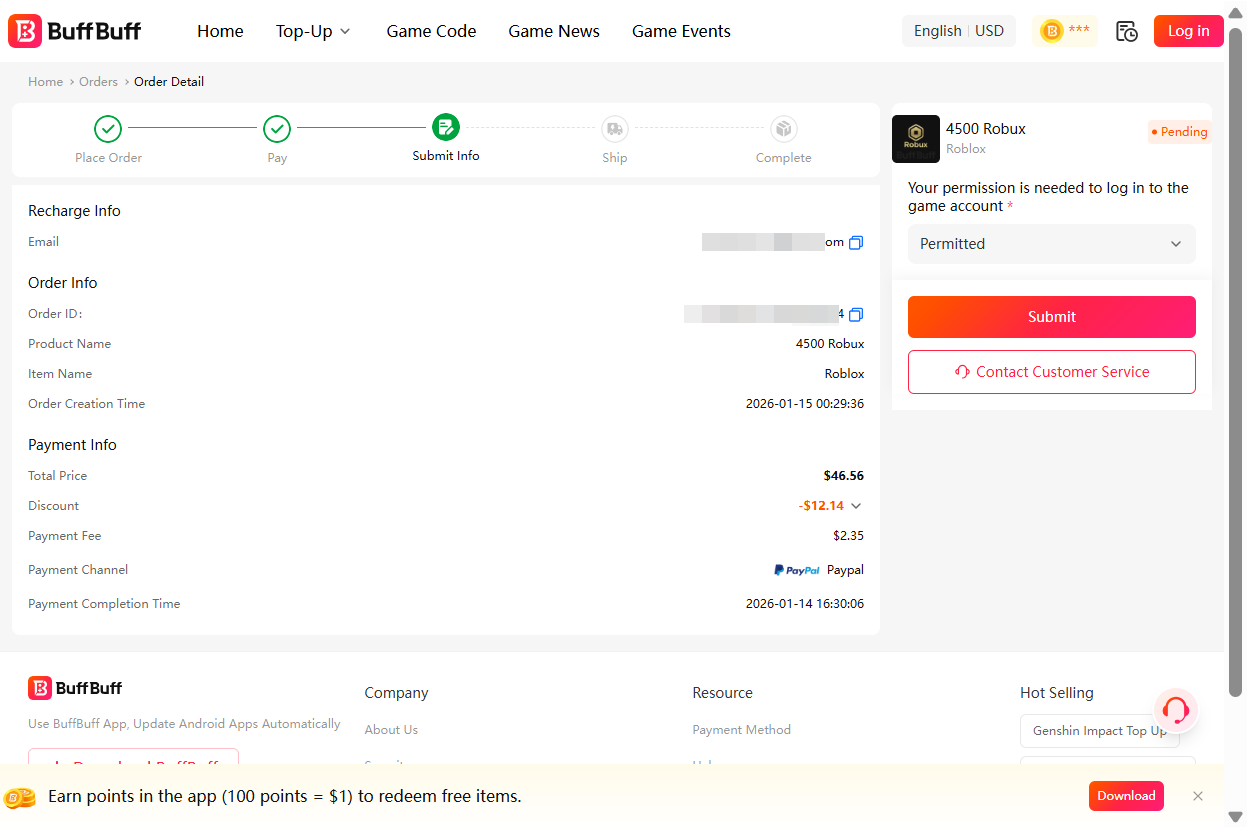
4. After successful payment, please wait on the order details page.
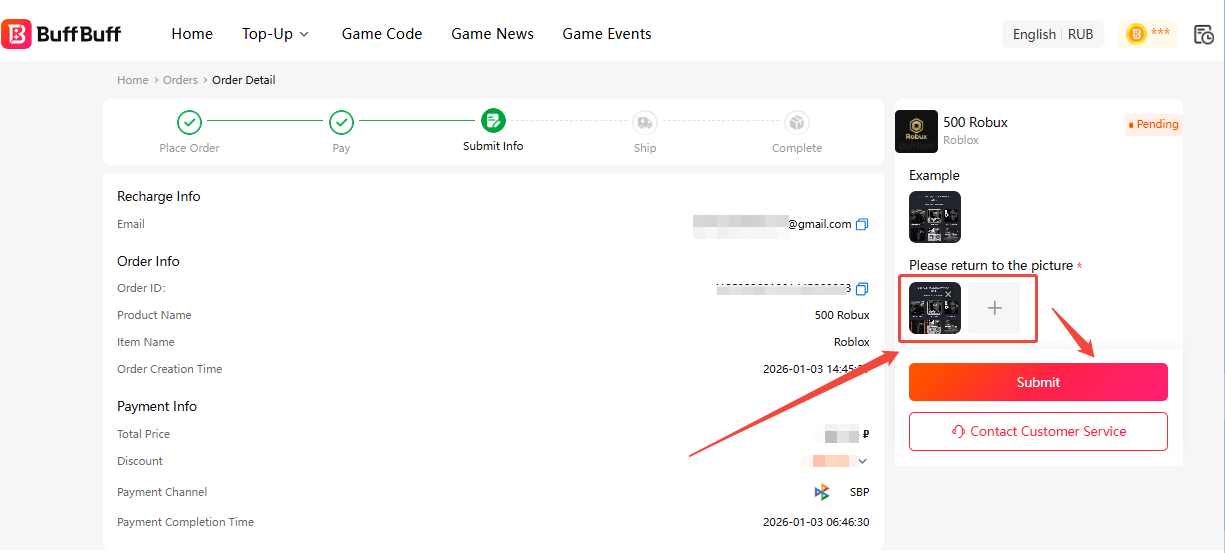
5. Promptly enter and submit the required information on the order details page.
❤️Note: Since this is a manual recharge process, it may take some time. Please wait patiently on the order details page to avoid missing the information input window.
Required Information Categories:
-
Please select three games you have played in the past 7 days (mark the three games you have played and upload screenshots accordingly).
-
Please confirm our login request on the Roblox platform you’re currently logged into (click the button on the left side of the pop-up window).
-
Please enter the verification code sent to your email (valid for 30 seconds; please enter it promptly).
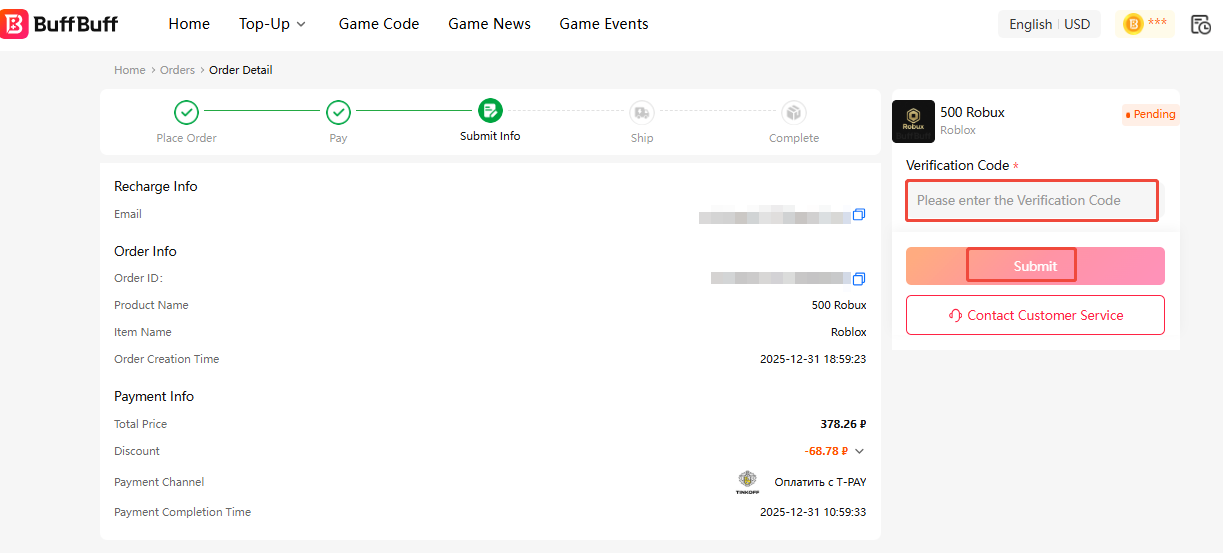
Note: The above two verification scenarios may repeat. Please ensure timely input of information.The login verification is valid for 30 seconds; kindly confirm the required information without delay.
- Once the order is completed, please check in the game to confirm whether the recharge has been credited.
Important Notes:
1. Some recharge tiers may require unlinking from Xbox.
2. Newly registered users must play the game for 120 minutes before they can recharge.
Pricing & Discounts With BuffBuff!
Why pay full price on the Roblox site when you can get more Robux for less? BuffBuff utilizes regional pricing and bulk advantages to offer the best Roblox discounts available in 2026.
By choosing BuffBuff, you’re getting more "bang for your buck," allowing you to save your extra cash for that limited-edition Valkyrie helm or the latest Blox Fruits game pass!
About Roblox
In Roblox, millions of people come together to create, share, and play in immersive, user-generated 3D environments on this global platform. It is a vast ecosystem of millions of distinct experiences, ranging from challenging obstacle courses to intricate role-playing simulators.
The platform's economy is powered by Robux, which is essential for:
-
Avatar Customization: Buying hats, shirts, faces, and emotes in the Marketplace.
-
Game Passes: Unlocking special abilities, items, or VIP access within specific games.
-
Private Servers: Buying a Private Server to play with only your friends without interruptions.
-
Developer Products: Purchasing in-game currency or boosts within your favorite experiences.
Best Value Purchases for Players
To make the most of your Robux, focus on these high-value investments:
-
Game Passes: Focus on permanent game passes in your favorite games (like 2x Money or Fast Flight) as these provide value every time you play.
-
Limited Items: Keep an eye on the Limiteds in the Marketplace. These items can often be resold later for a profit if you have Roblox Premium.
-
Private Servers: If you play competitive games or role-play, a Private Server is the best way to ensure a grief-free experience.
User Reviews







Get BuffBuff App


scan to download

Coupon Details

This account has already received the First Bonus, it will not be issued again this time