Popular Games
 All Games




How to Download Brawl Stars in Russia 2026 (Android & iOS)
2026-10-23

.
Looking for the fastest way to download Brawl Stars in Russia? Since Supercell restricted access in 2022, getting the game requires a few specific steps.
Below, I have separated the steps for Android and iOS.
Before you jump in, you might want some free stuff. Check out our The Latest Brawl Stars Store Codes & QR Codes [October 2026] to grab some easy rewards.
Brawl Stars Download for Android
For users from Russia, Brawl Stars is available only through 3rd-party application stores. You have two easy options to download the game, but you must complete the DNS setup at the end to actually play it.
Step 1: Choose Your Download Method
The game can be downloaded straightaway from the link provided in this article or you can download the BuffBuff app store to access all new Brawl Stars applications anytime.
Option 1: Direct Download via Brawl Stars App Card (Fastest)
Use the Brawl Stars download card below. This will directly provide you with the latest APK. Once downloaded, install it (you may need to allow "Install from unknown sources" in your phone settings).

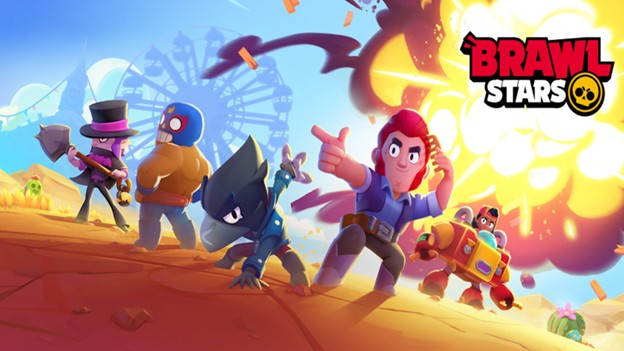
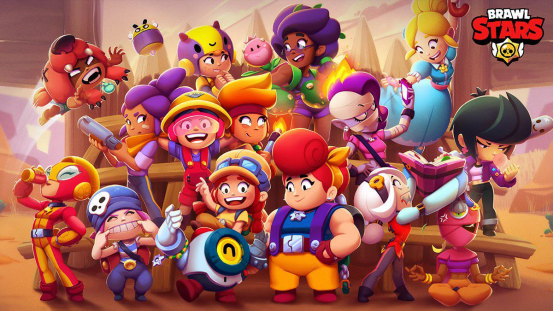
Brawl Stars is a mobile multiplayer action game that combines quick 3v3 battles and a battle royale mode with collectible heroes and skills.
Option 2: Via the BuffBuff App Store
If you don't want to hunt around for download pages every time, you can download the BuffBuff APK — here you can always find the latest game packages
- Use the BuffBuff card below to download and install BuffBuff on your Android phone.
- Open BuffBuff and search for "Brawl Stars".
- Tap install, and BuffBuff will handle the game download and future updates for you.

BuffBuff is a game store and top up app that delivers affordable in game currency with instant, secure checkout.
Step 2: Crucial DNS Setup (Do Not Skip)
After installing Brawl Stars, do not open the game yet. If you open it now, you will get the "LOGIN RESTRICTED" error (Login is not supported from your current location).
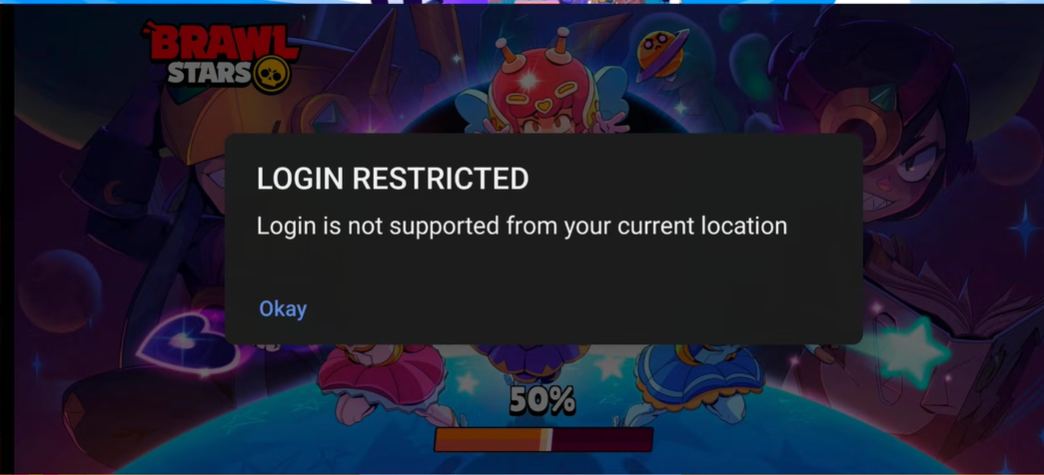
To fix this, set up a Private DNS on your Android phone:
- Open your phone Settings (Настройки), and type "DNS" in the search bar.
- Tap on "Private DNS" (Частный DNS-сервер).
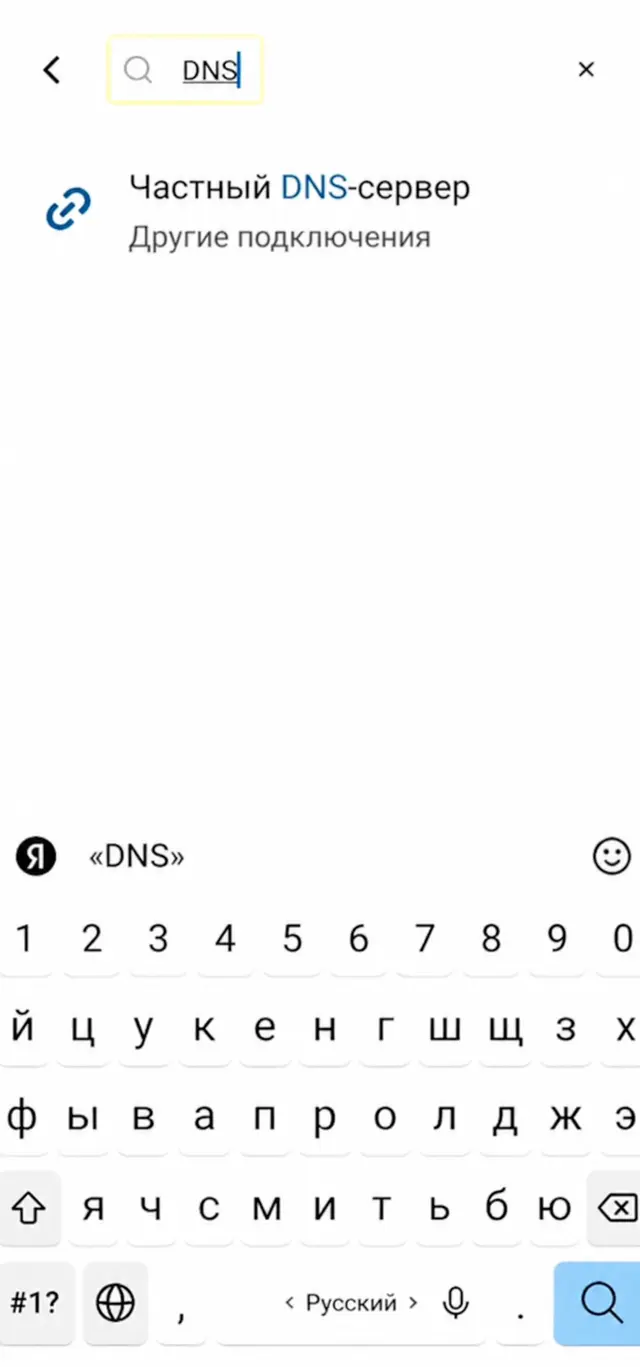
3. Select "Private DNS provider hostname" (Имя хоста поставщика персонального DNS-сервера).
4. Enter: dns.nullsproxy.com and tap "Save" (Сохранить).
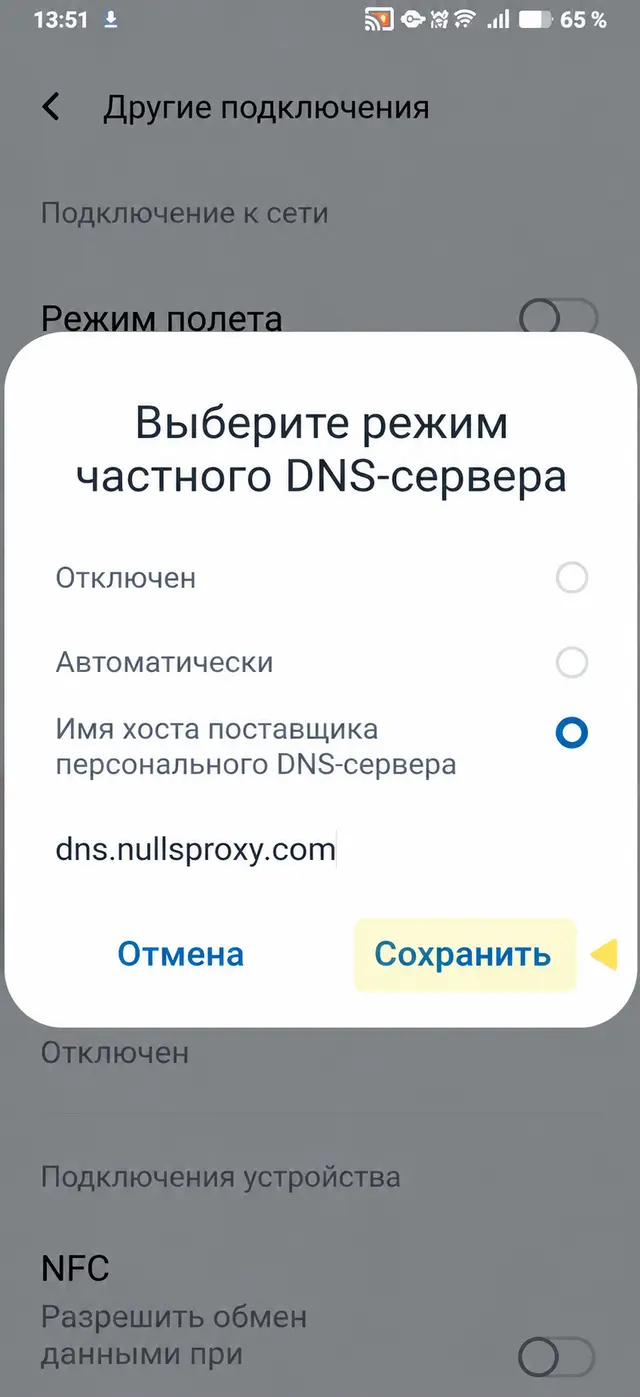
5. Open Brawl Stars. You should be able to log in now.
Brawl Stars Download for iOS (App Store Method)
Note: BuffBuff and our App Cards are only for Android. iOS devices cannot install APK files. If you are on an iPhone or iPad, you must change your Apple ID region to download the game.
Step 1: Change Apple ID Region to the US
You cannot find Brawl Stars in the Russian App Store. You need to change your region to the US.
- Open the App Store and tap your profile icon in the top right corner.
- Tap your Apple ID, then select "Country/Region" (Страна или регион).
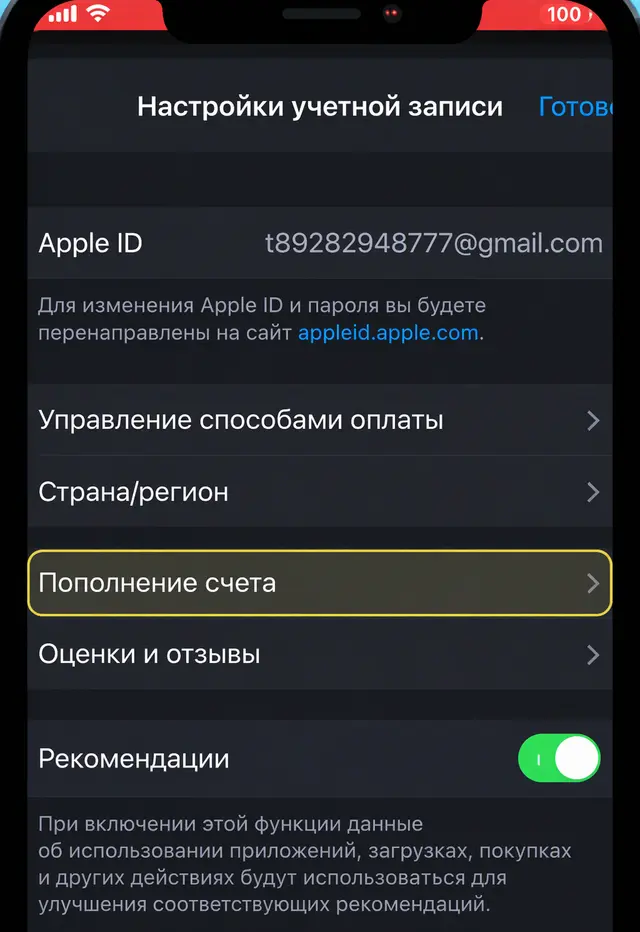
3. Tap "Change Country or Region" (Изменить страну или регион) and select "United States" (Соединенные Штаты).
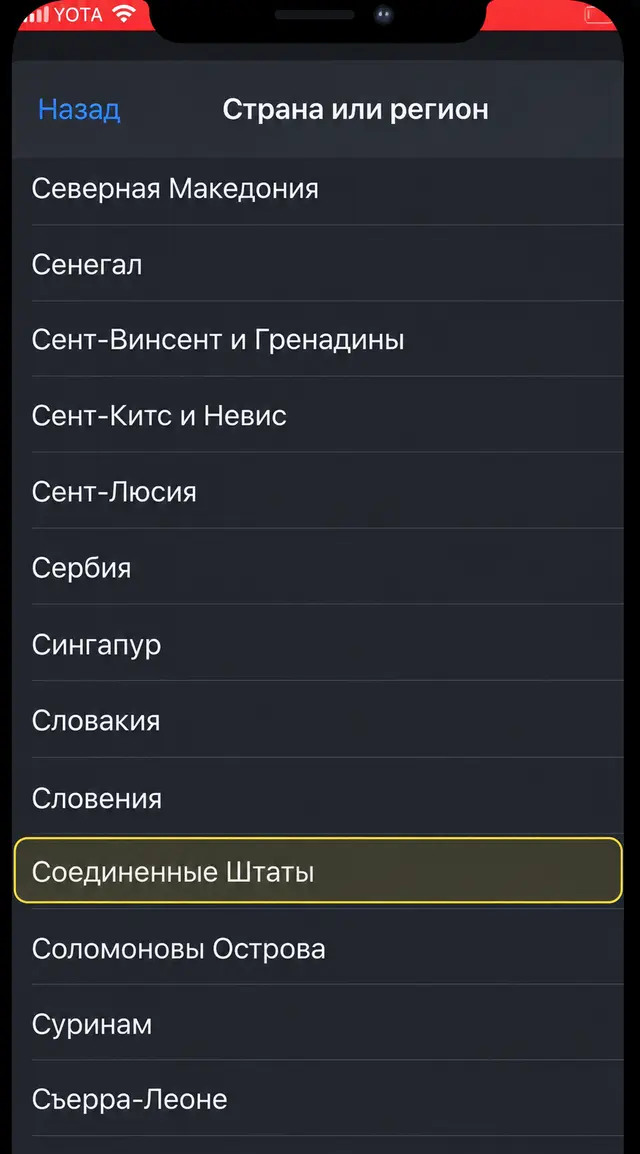
Step 2: Fill in Billing Info (No Credit Card Needed)
- For Payment Method (Способ оплаты), select "None" (Нет).
- Enter your First and Last Name (Имя, Фамилия) using English letters.
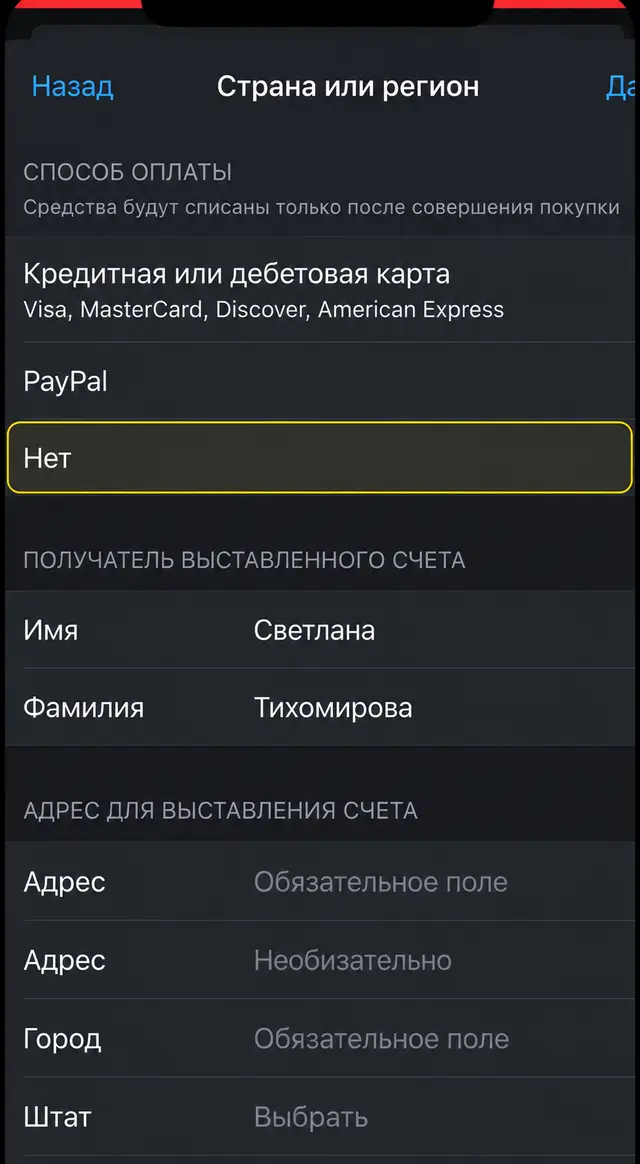
3. Enter a US address (Адрес) (e.g., Street: Loustreet 16, City: New York).
4. Select the state (Штат) New York (Нью-Йорк).
5. Enter the postal code (Индекс) 10001 (if it fails, try 35004).
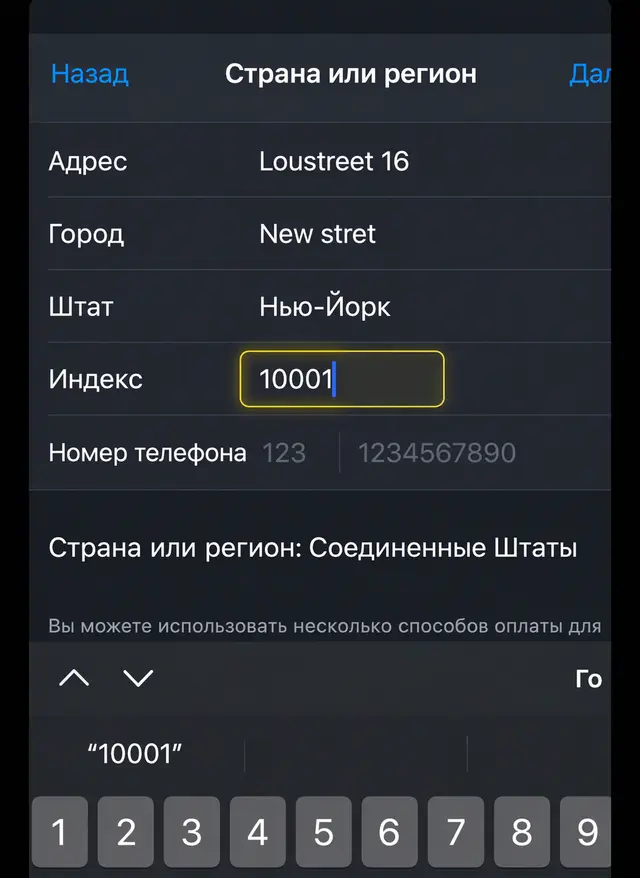
6. Enter a random phone number (Номер телефона) (start with 123, followed by any 7 digits).
7. Tap "Next" (Далее) in the top right corner to save.
Step 3: Download Brawl Stars
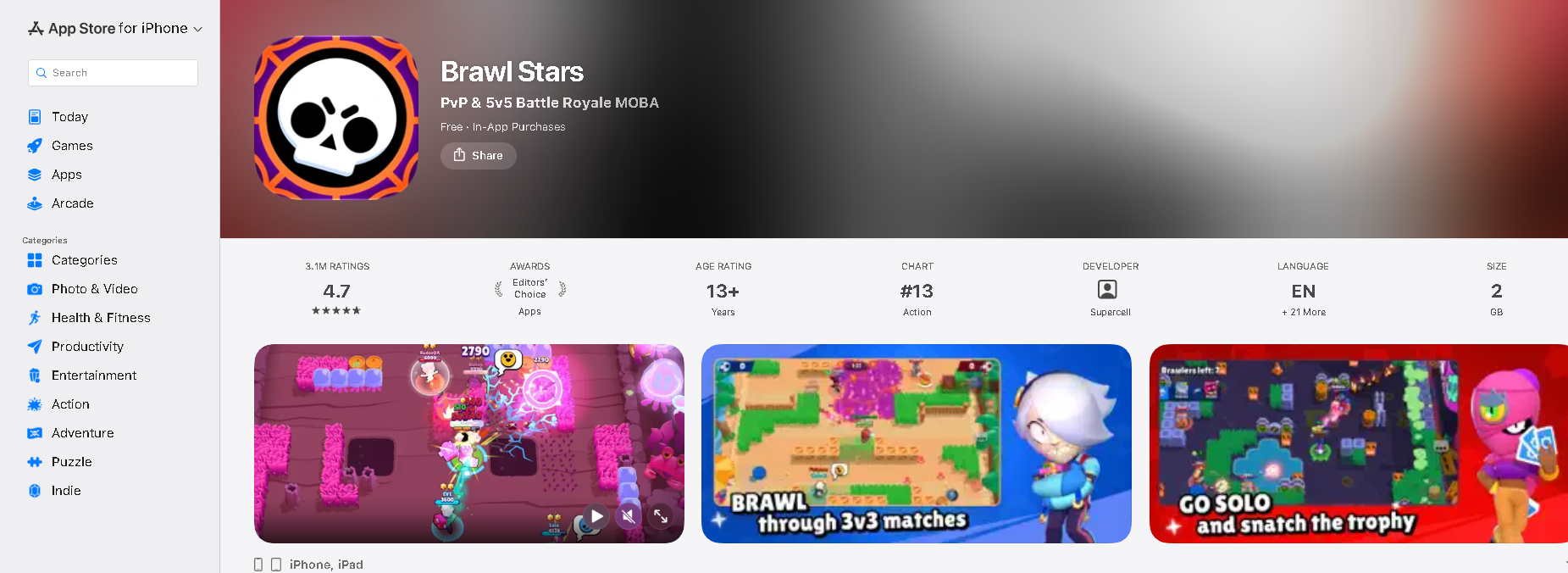
Go back to the App Store, search for Brawl Stars, and tap download (ЗАГРУЗИТЬ). Once it is installed, do not open the game yet.
Step 4: Crucial iOS DNS Setup (Do Not Skip)
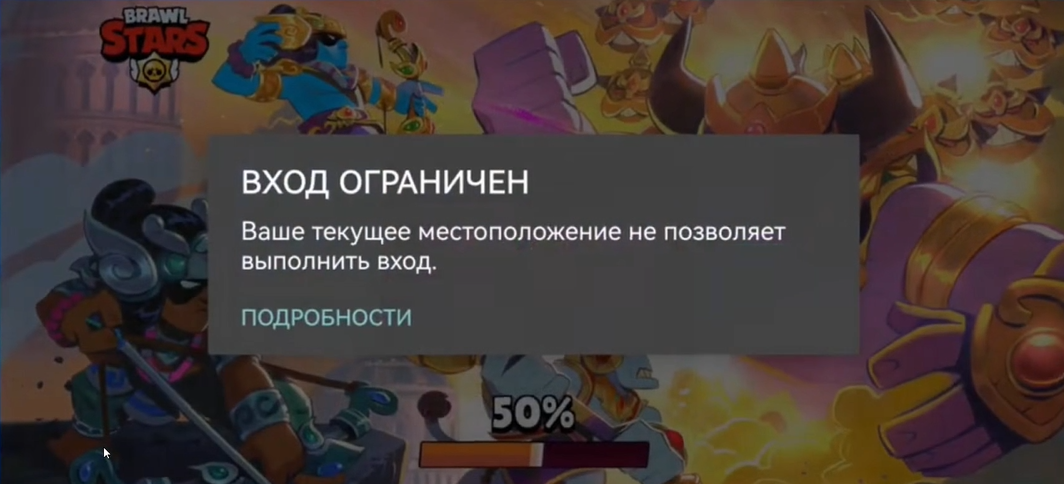
If you open the game now, it will show the "ВХОД ОГРАНИЧЕН" (Access Restricted) error. This happens because Supercell blocks Russian IP addresses.
Because iOS does not allow manual Private DNS input like Android, you must install a configuration profile to bypass the region lock:
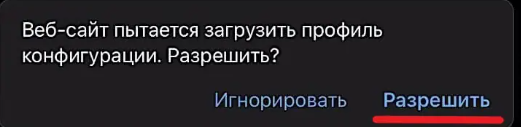
- Download the DNS configuration file (e.g., from dns.nullsproxy.com) using the Safari browser on your iPhone.
2. A pop-up will appear saying "This website is trying to download a configuration profile". Tap Allow (Разрешить).
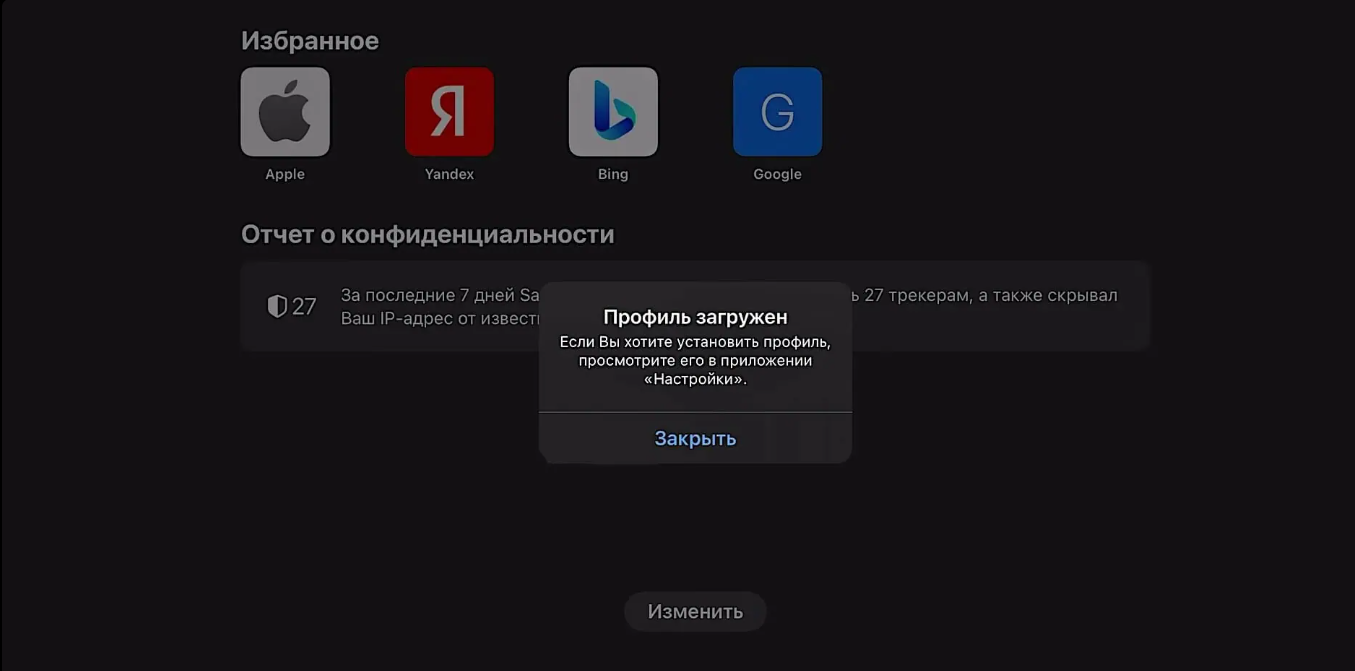
3 Go to iPhone Settings (Настройки). You will see an "Profile Downloaded" (Загружен профиль) option near the top. Tap it.
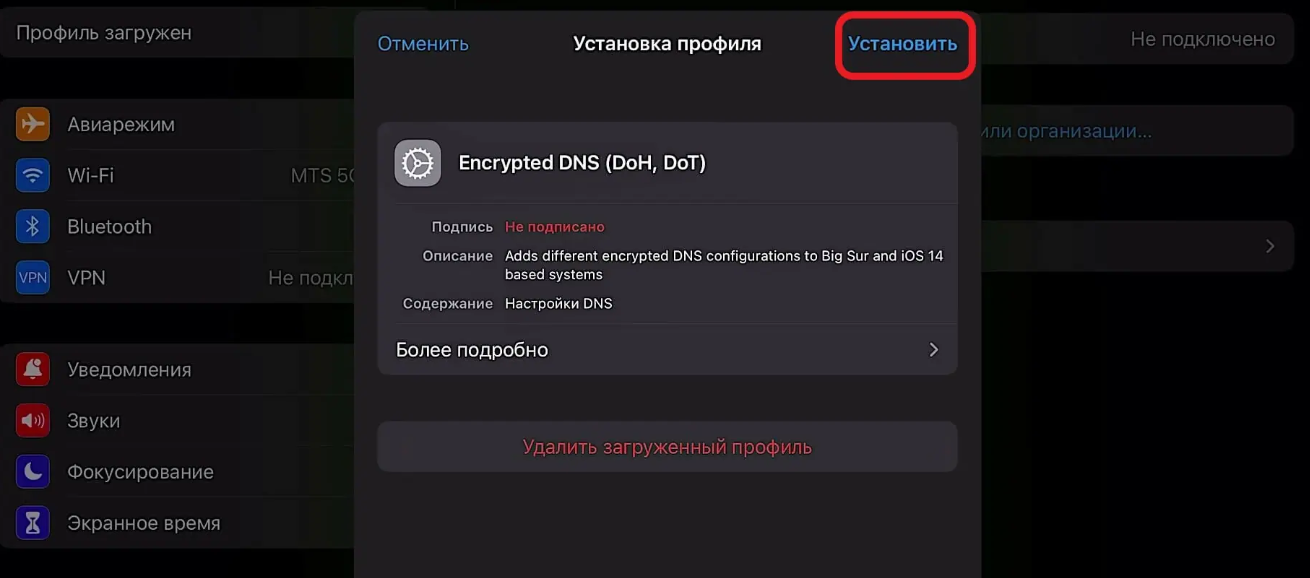
4. Tap Install (Установить) in the top-right corner, enter your passcode, and confirm the installation.
5. Launch Brawl Stars and jump in. With the DNS profile active, the game bypasses the regional IP block — just log in and start playing!
Before Download: Does Your Device Meet the Minimum Requirements for Brawl Stars?
For a better gaming experience, it is necessary to ensure that your device has met the minimum requirements prior to downloading and installing the game:
| Platform | Requirement |
| Android | Android 7.0 or higher, 1GB RAM minimum (2GB recommended), 800x480 resolution |
| iOS | iOS 14 or higher, iPhone 6s / SE (1st gen) / iPad (5th gen) or newer |
Before you download, you should check your device. Here is what you need:
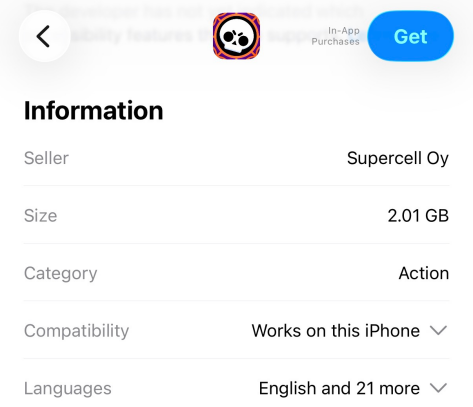
If your phone is from the last few years, you are probably fine. The game takes up about 1.5GB to 2.5GB of space. So make sure you have room on your phone
.
Conclusion
Downloading Brawl Stars in Russia is completely doable in 2026. Android users can grab it instantly via the App Card or BuffBuff, while iOS users just need a quick US region switch.
Just remember the golden rule: set up your Private DNS before opening the game to bypass the IP block. Once that's done, you're ready to play.
Want a head start? Grab your free rewards with our The Latest Brawl Stars Store Codes & QR Codes [October 2026]. See you in the arena!
Brawl Stars is a mobile multiplayer action game that combines quick 3v3 battles and a battle royale mode with collectible heroes and skills.

![The Latest Brawl Stars Store Codes & QR Codes [October 2026]](https://static-sg-eo.buffbuff.com/wupload/xy/aprojectadmin/WxRXHFrt.png?imageMogr2/thumbnail/256x144/format/webp/interlace/1)