Popular Games
 All Games











Extra Bonus

 Log in to get 50 points (0.50 USD) + 1 points (0.01 USD)
Oletoken Gift Card



Login To Claim












How to redeem your OLÉTOKEN gift card?
After purchasing an OLÉTOKEN gift card on BuffBuff, follow these steps to add credits to your OleToken account.
【Step1】Copy your redeem code
After your purchase is completed, BuffBuff will provide a redeem code in your order details. Copy this code and keep it secure.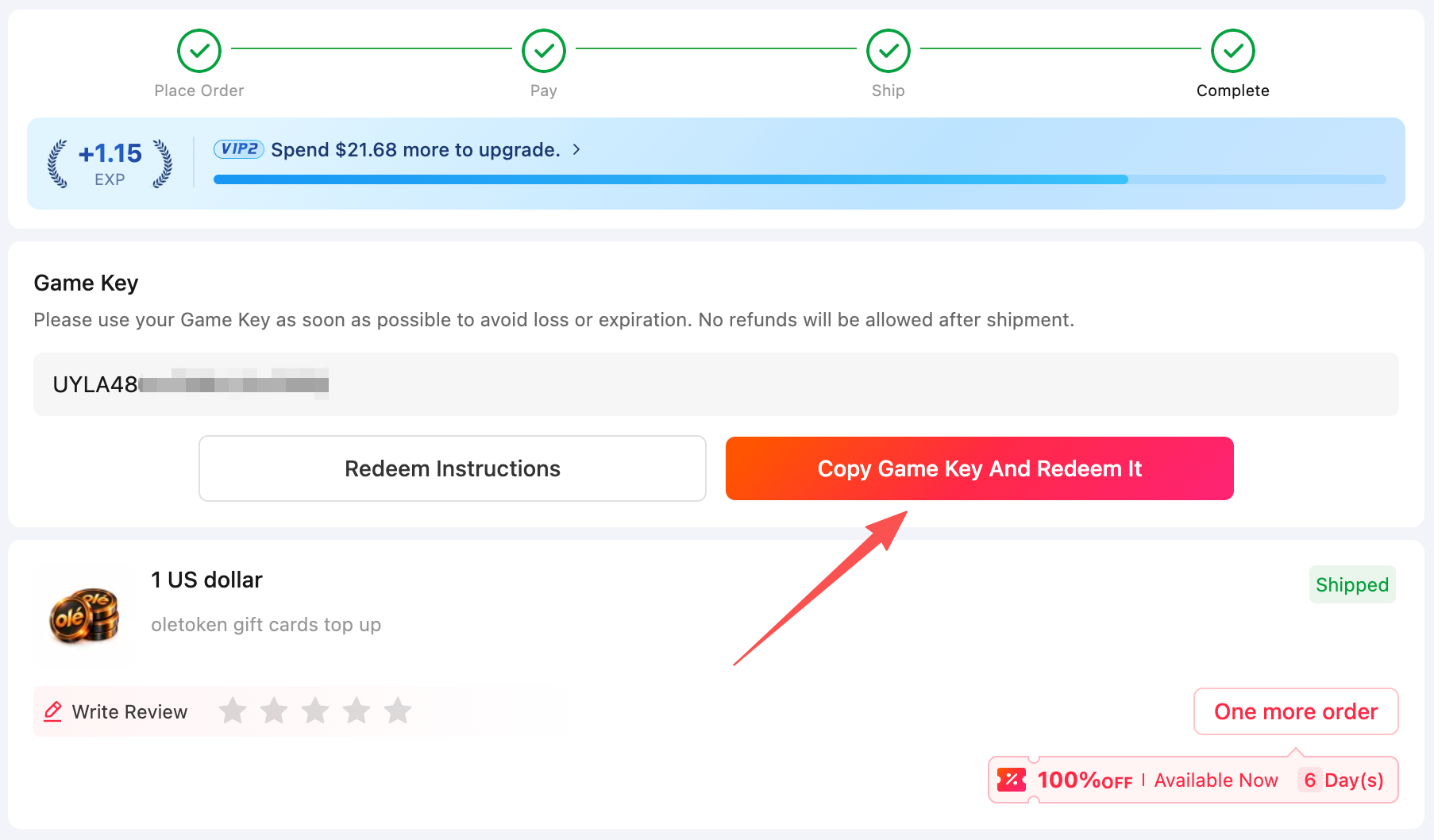
【Step2】Open Top-up Management:OLETOKEN AI API · One API for Every Model
Log in to your OLÉTOKEN account. From the left sidebar, go to:Workspace → Top-up Management
【Step3】Enter your code and redeem
Find the section:“Already purchased a gift card? Enter its redeem code below:” Paste your BuffBuff redeem code into the Enter your redeem code field, then click Redeem. Once the code is successfully verified, the corresponding credits will be added to your OLÉTOKEN balance.
【Step4】Check your balance
After redemption, you can check your updated balance at the top of the Top-up Management page.
You can also review your recharge records in Top-up history.
Important notes
● Each redeem code can only be used once.
● Redeem codes are linked to your BuffBuff order.
● Please do not share your redeem code with others.
● Credits are added after successful redemption.
User Reviews

Get BuffBuff App


scan to download

Coupon Details

This account has already received the First Bonus, it will not be issued again this time




Log in to unlock BuffBuff VIP perks.
Log in to unlock BuffBuff VIP perks.