Popular Games
 All Games







Extra Bonus

 Log in to get 50 points (0.50 USD) + 0 points (0 USD)
Delta Force Top Up
High order volume may cause delays in top-up delivery. Please bear with us. Thanks for your support!





Redeem Code

Redeeming
Check your processing progress in "Redeem History" at the bottom of the page



Delta Force Top Up: Get Coins Up to 25% OFF
What Information You Need for Delta Force Top Up
To top up Delta Force Delta Coins, there are a few things you need to know and have:
-
Delta Force User ID: Your Delta Force User ID (UID) is a unique identifier tied to your account, and is usually a long string of characters. With your Delta Force UID, DFM top-ups are delivered straight to your account. Keep in mind that any typos can result in a failed top-up, so we suggest copy-pasting the UID to ensure a successful recharge.
-
Server: Currently, BuffBuff only supports the Global version of the game (i.e., Delta Force Global version on mobile).
-
Applicable Platforms: BuffBuff’s Delta Force top up is available on Android, iOS, and PC versions of the game.
Important Note: Please ensure the required information you enter into BuffBuff during purchase is correct to guarantee a successful top-up.
How to Find Your Delta Force UID
To get started with your Delta Force mobile/PC top up, you first need your account’s UID. Here’s how to find it in-game:
Step 1: Launch Delta Force on your mobile device/PC.
Step 2: If prompted, log in to your account.
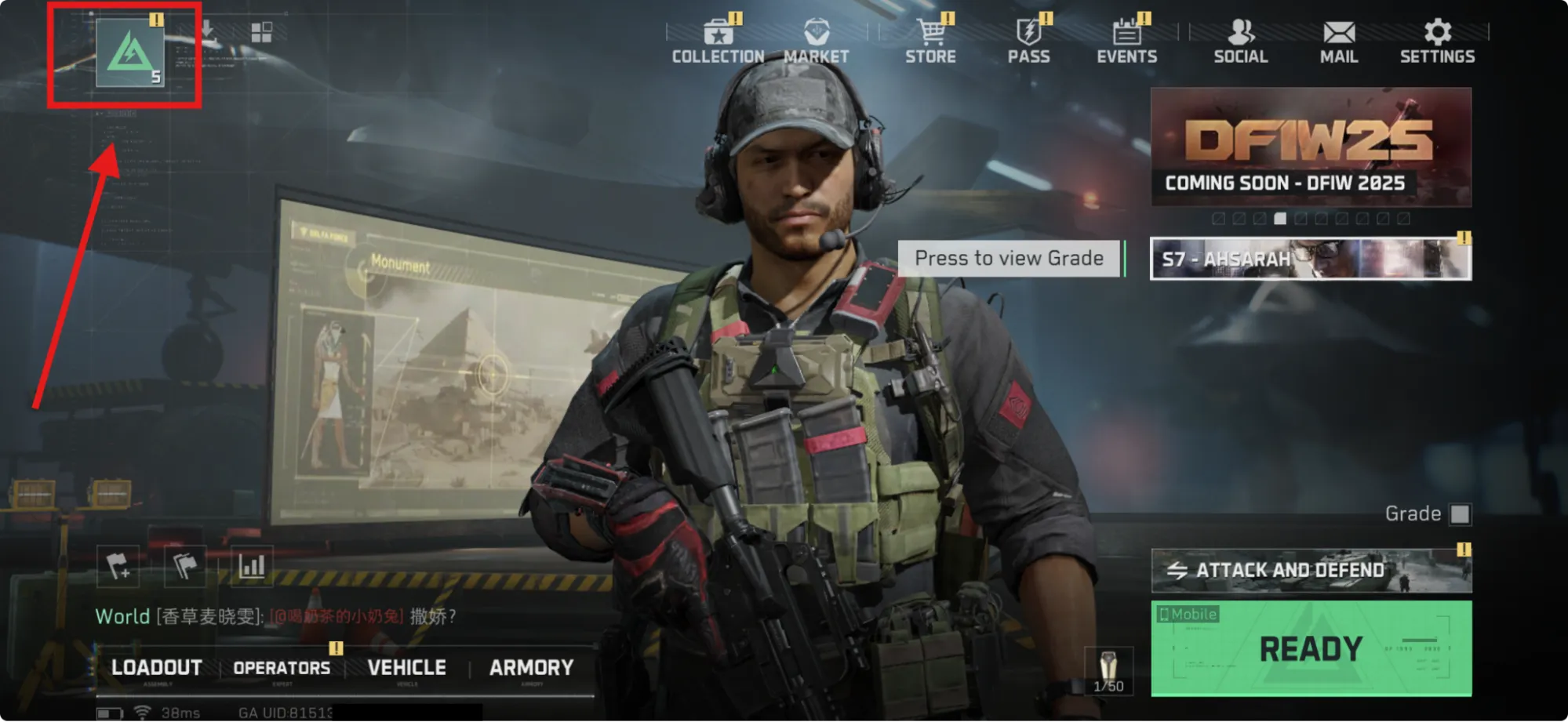
Step 3: In the main-game interface, select the Character page icon in the top-left corner.
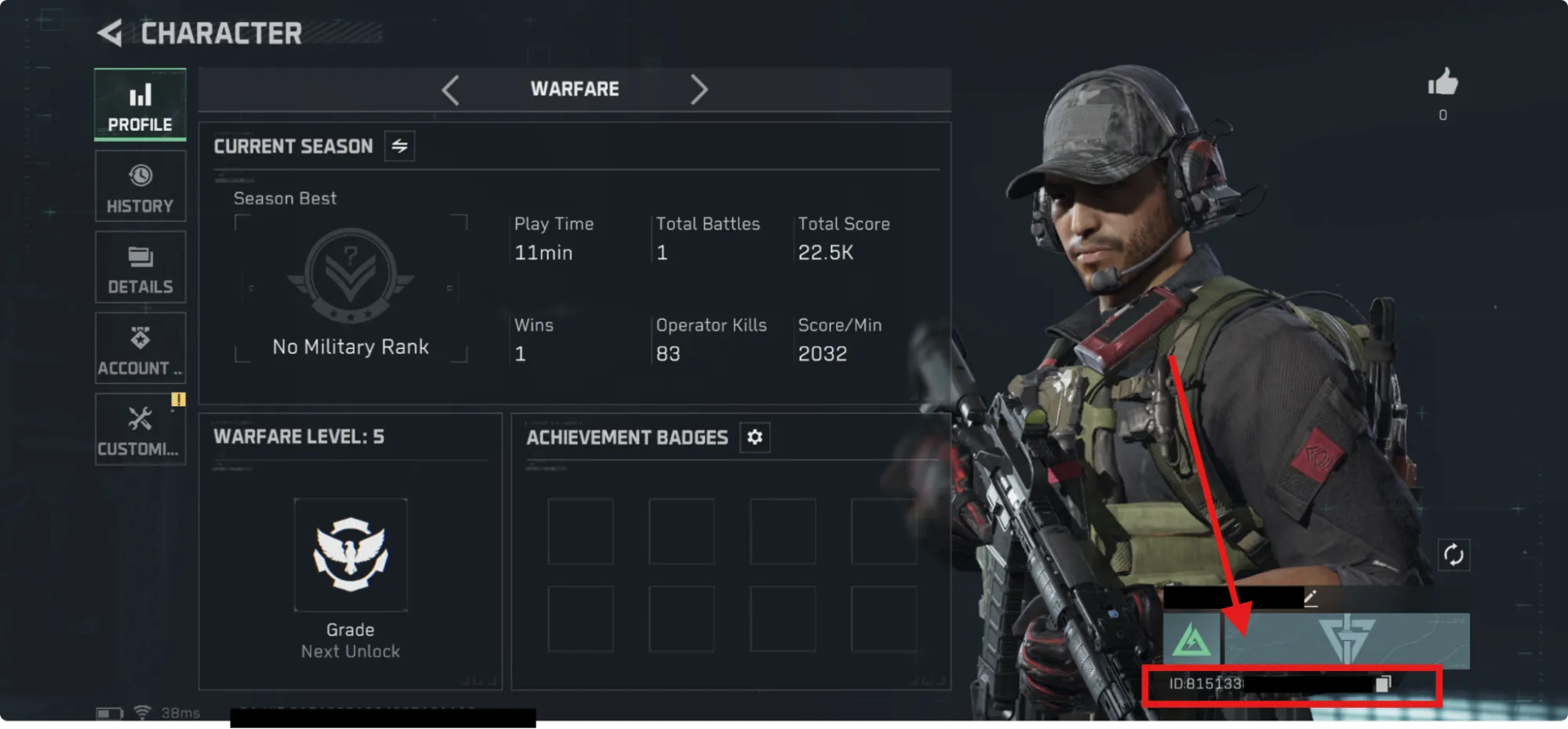
Step 4: In the bottom-right corner of the Character page, you’ll see your Username and “ID” followed by a long string of numbers. This is the User ID required for a Delta Force coins top-up!
How to Recharge Delta Coins in Delta Force
To top up Delta Force with BuffBuff, here’s a quick guide:
Step 1: Select the denomination of Delta Coins you want to purchase.
Step 2: Enter your Delta Force UID information.
Step 3: Enter an email address for your BuffBuff transaction.
Step 4: Choose your payment method and complete the payment.
Step 5: In just a few minutes, your Delta Coins will be delivered straight to your account!
Pricing & Discounts With BuffBuff!
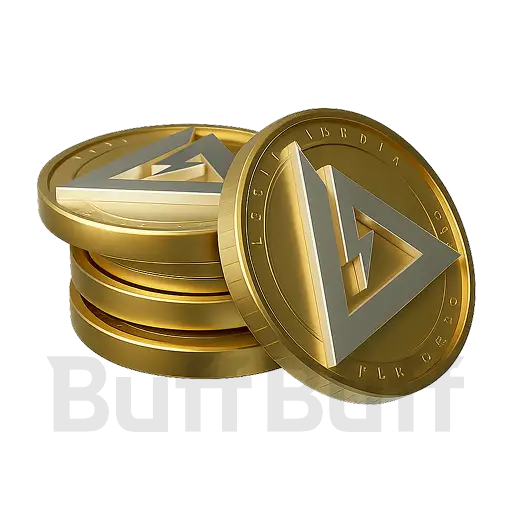
A Delta Force top-up can give players a quick boost to account progression, transforming a newbie’s barren selection into a veteran’s fully stocked arsenal. A Delta Force top up gets you “Delta Coins”, the premium in-game currency.
With Delta Coins, players can use them for a variety of things, including purchasing high-value skins, premium weapon & Operator cosmetics, and other exclusive items that typically aren’t attainable through normal gameplay.
Since the best cosmetic items and shop bundles rely on Delta Coins, topping up gives you instant access to the game’s most desirable customisation options.
But, the unfortunate news is that Delta Coins are primarily a paid currency; you can’t earn them through regular play. Players who want the fastest access to the latest premium content will need a Delta Force top up eventually.
A discounted top-up through BuffBuff helps reduce the overall cost, stretching your budget further while still letting you take advantage of rotating cosmetic shops and limited-time premium unlocks.
With BuffBuff’s lower prices and instant delivery, topping up Delta Coins becomes a smoother, more affordable experience, letting you focus on gearing up in style and staying ahead of upcoming content drops without breaking the bank.
About Delta Force Top Up
Delta Force is a free-to-play FPS game with a hybrid of Battlefield-style large-scale warfare, Deathmatches, and PvPvE Extraction shooter all in one, from TiMi Studio Group, the studio behind some of mobile gaming’s biggest hits like Honor of Kings and Call of Duty Mobile.
Currently, Delta Force is available on Android, iOS, and PC platforms.
Note: You can get many free rewards by redeeming Delta Force codes.
Best Ways to Use Delta Coins
If you’re wondering what you should splurge on first with your Delta Force top up of Delta Coins, here are some of the best in-game values depending on your preference:
-
Battle Pass Premium File: The Premium File of the Battle Pass is one of the best returns on investment in Delta Force. You’ll need Delta Coins to purchase it, but what you get in return are new Operators, weapon/Operator skins, Vouchers, TurBricks, and other cosmetics.
-
Premium Operator Skins: Another great use for Delta Coins is to pull for the latest “Research”, which typically has fantastic, unique Operator skins and accompanying cosmetic items. These are among the most sought-after places to use Delta Coins and can greatly enhance the gameplay experience (in style!).
-
Exchanging for Delta Tickets or Mandel Coins: While not regarded as the best way to use Delta Coins, it is possible to exchange them for Delta Tickets or Mandel Coins, if the current store rotation has something you can’t miss!
Special Offers & Bundles
-
Mega Value Bundle: 12,960 + 3240 Delta Coins (Total 16,200 Delta Coins)
-
Ultra Value Bundle: 19,440 + 4860 Delta Coins (Total 24,300 Delta Coins)
Can accounts on Garena & Steam support Delta Force top up PC & Mobile here?
Yes, it currently support.
How long does it take to arrive at my account?
Normally, it can be delivered immediately. In most cases, it won’t take more than 5 minutes.
I entered the wrong ID. How to change?
Delta Coins will be delivered directly to the User ID you provide. If the ID is entered incorrectly and the delivery is complete, we will be unable to modify the order or issue a refund. In such cases, a new purchase will be required to receive the coins in-game. To ensure a smooth experience, we kindly ask you to carefully verify your User ID before confirming your purchase.
User Reviews







Trending News
Newest Delta Force Codes in September 2026🪖
2026-09-22

Delta Force 2nd Anniversary Guide: 3,900 Free Tickets, AUG Golden State & More Details
2026-09-20
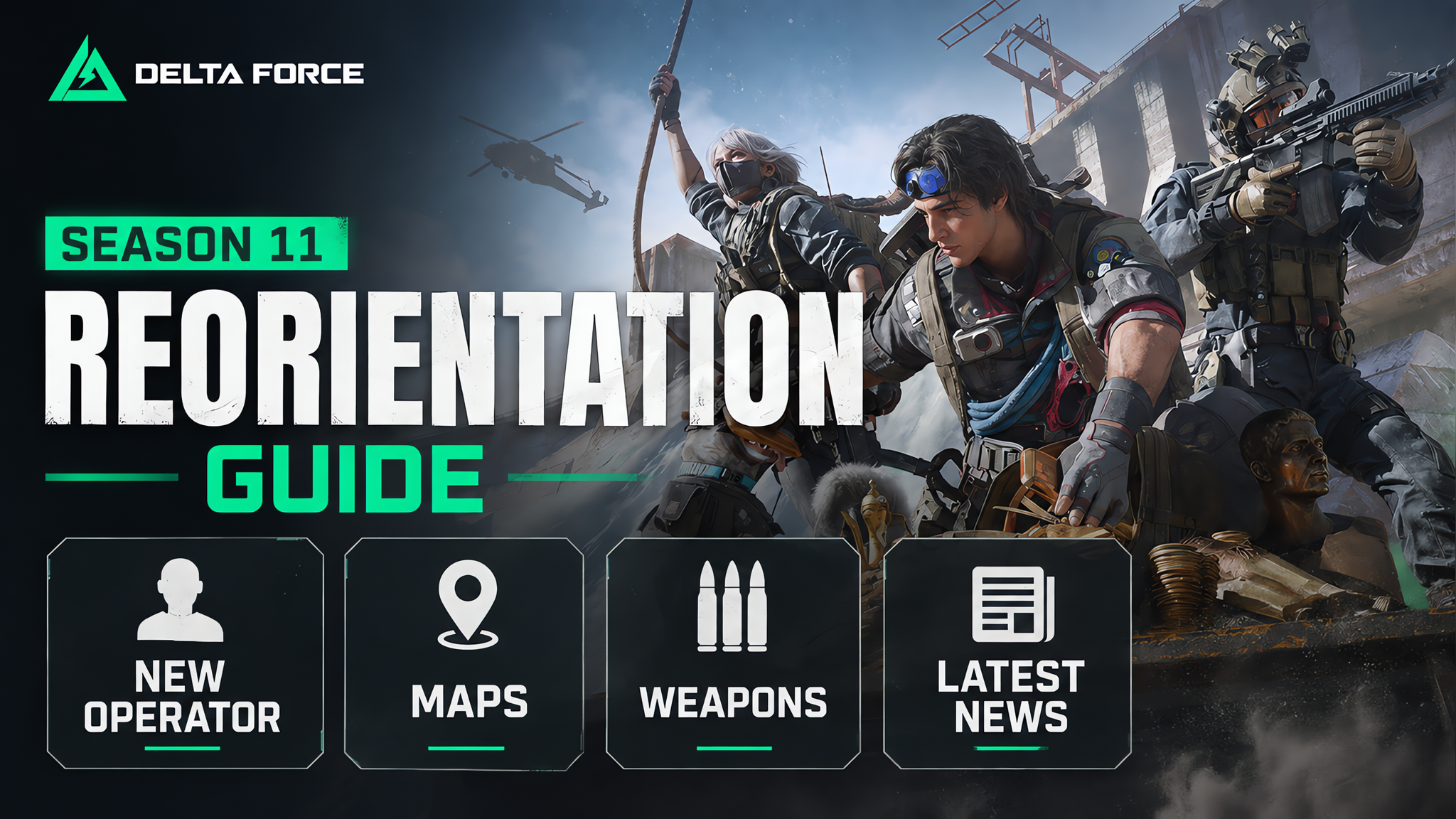
Delta Force Season 11 “Reorientation” Guide: New Operator, Maps, Weapons & Latest News
2026-09-07

Delta Force AZ3 Easter Egg Guide: Drone, Figurines & how to unlock them
2026-07-23
Get BuffBuff App


scan to download

Coupon Details

This account has already received the First Bonus, it will not be issued again this time
Delivery Guarantee

3 Min Guarantee
If delivery exceeds 3 minute(s), you will receive bonus points based on the payment amount and delivery time. (Additional coupon will be given for severe delays)
 Points
 Coupons

Refund If Undelivered
If your purchased product fails to be delivered, the platform promises a 100% refund. (Usually credited within 24 hours.)