Popular Games


 All Games

























 Log in to get 50 points (0.50 USD) + 0 points (0 USD)
Zenless Zone Zero ZZZ Top Up
 Popular
 Game Items
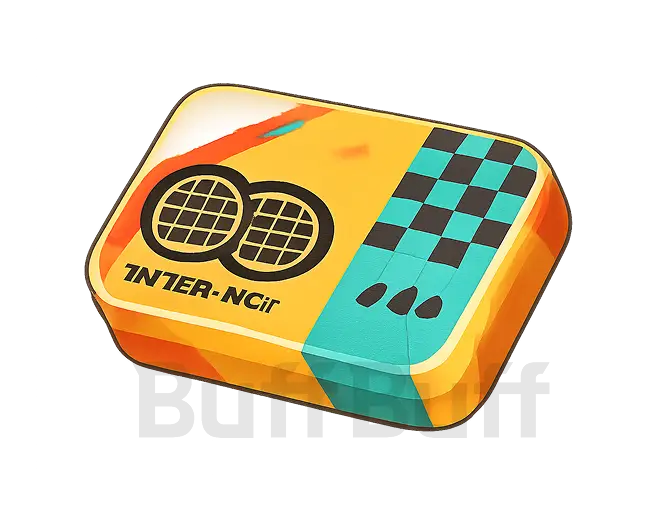
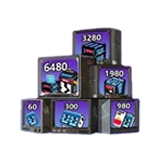

Top Up Zenless Zone Zero Monochromes – Includes Extras & Fast Delivery!
What Information You Need to Top-Up
To get a Zenless Zone Zero recharge with BuffBuff, you’ll need some in-game details:
-
Zenless Zone Zero Account UID: Your ZZZ UID (User ID) is a unique string of characters tied to your account. This number/characters will only relate to your account, and is required to ensure every ZZZ top up with BuffBuff goes to your account.
-
Server: Each account UID is tied to one of these servers: Asia, America, Europe, HK, TW, MO. Select the correct server when you purchase Zenless Zone Zero top-ups.
-
Available Platforms: Top-ups with BuffBuff for Zenless Zone Zero are available on all versions of the game: Android, iOS, PS5, Xbox Series S|X, and PC.
How to Find Your Zenless Zone Zero UID/Server
Here’s a quick guide to help you find the info you need for your ZZZ top-up!
Step 1: Launch Zenless Zone Zero on your mobile device, console, or PC
Step 2: If prompted, log in to your account
Step 3: In the bottom-right corner, you’ll find your UID. To copy it, open the main menu from the top-left corner button
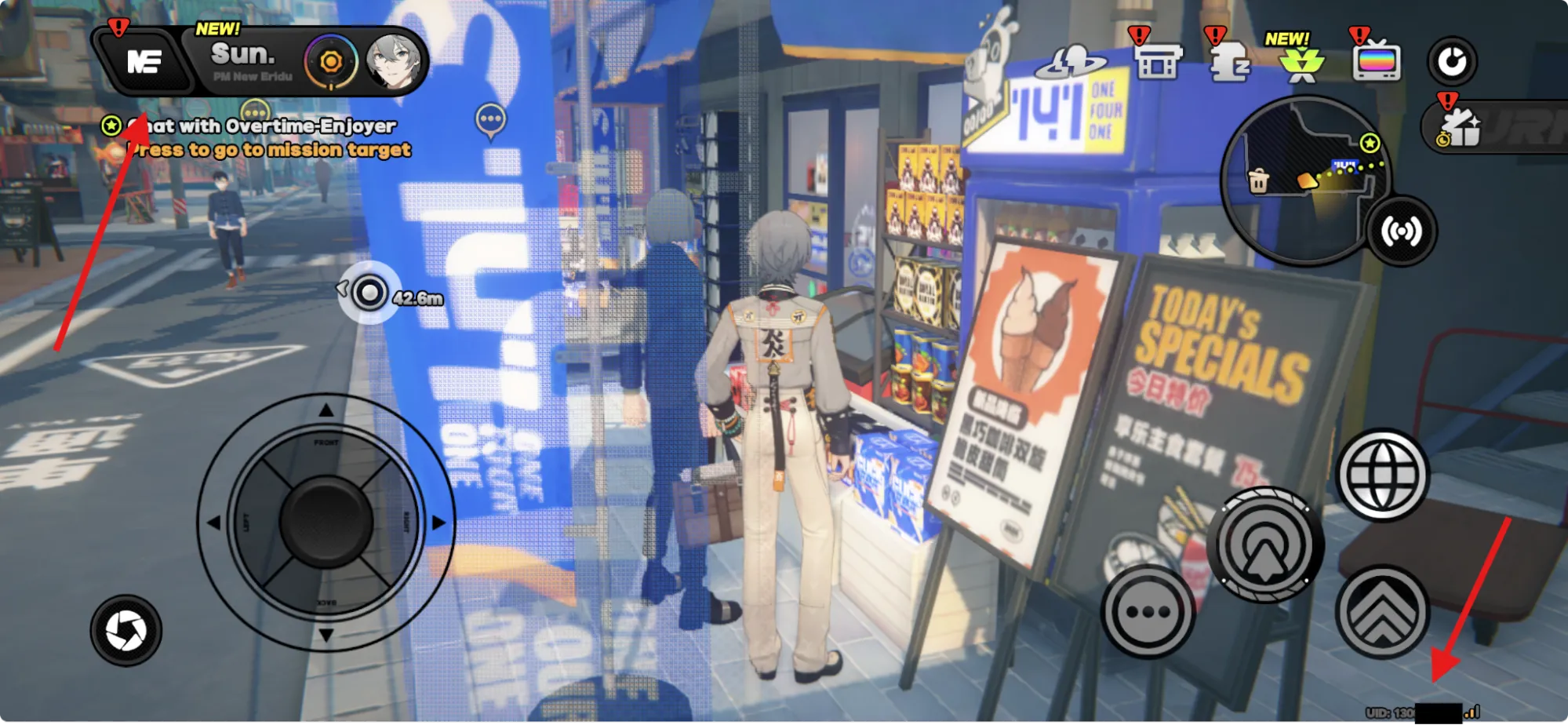
Step 4: Select your profile at the top
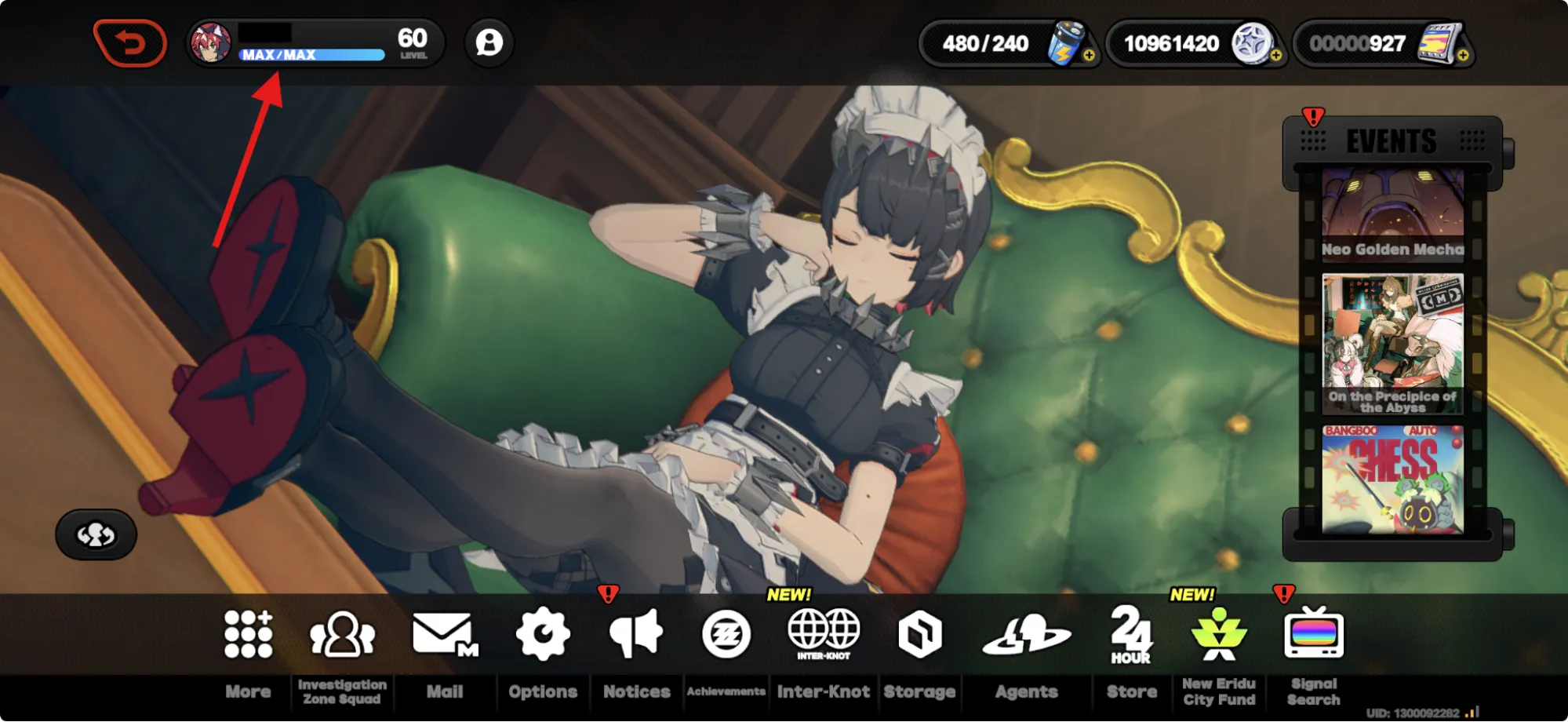
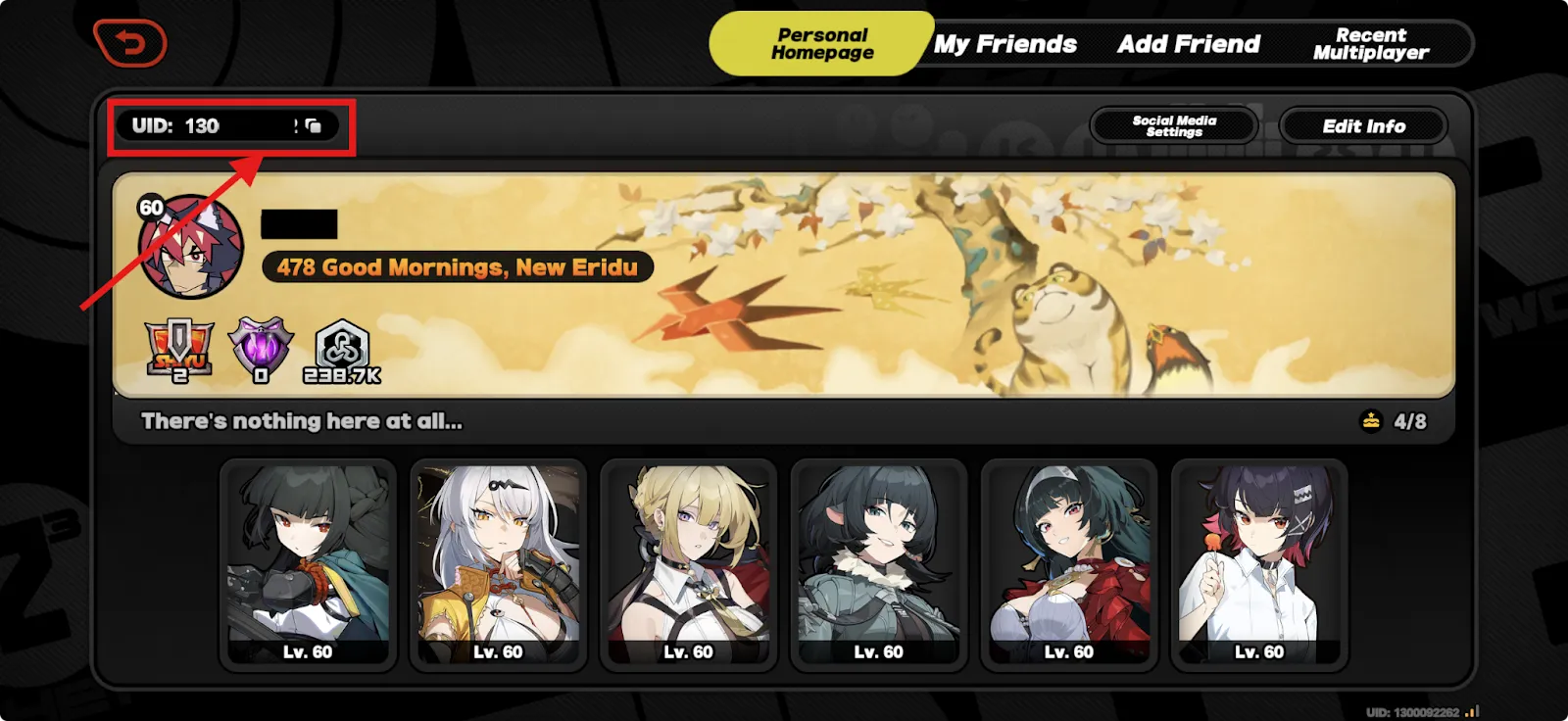
Step 5: At the top, you’ll find your UID. Copy it here to paste to BuffBuff!
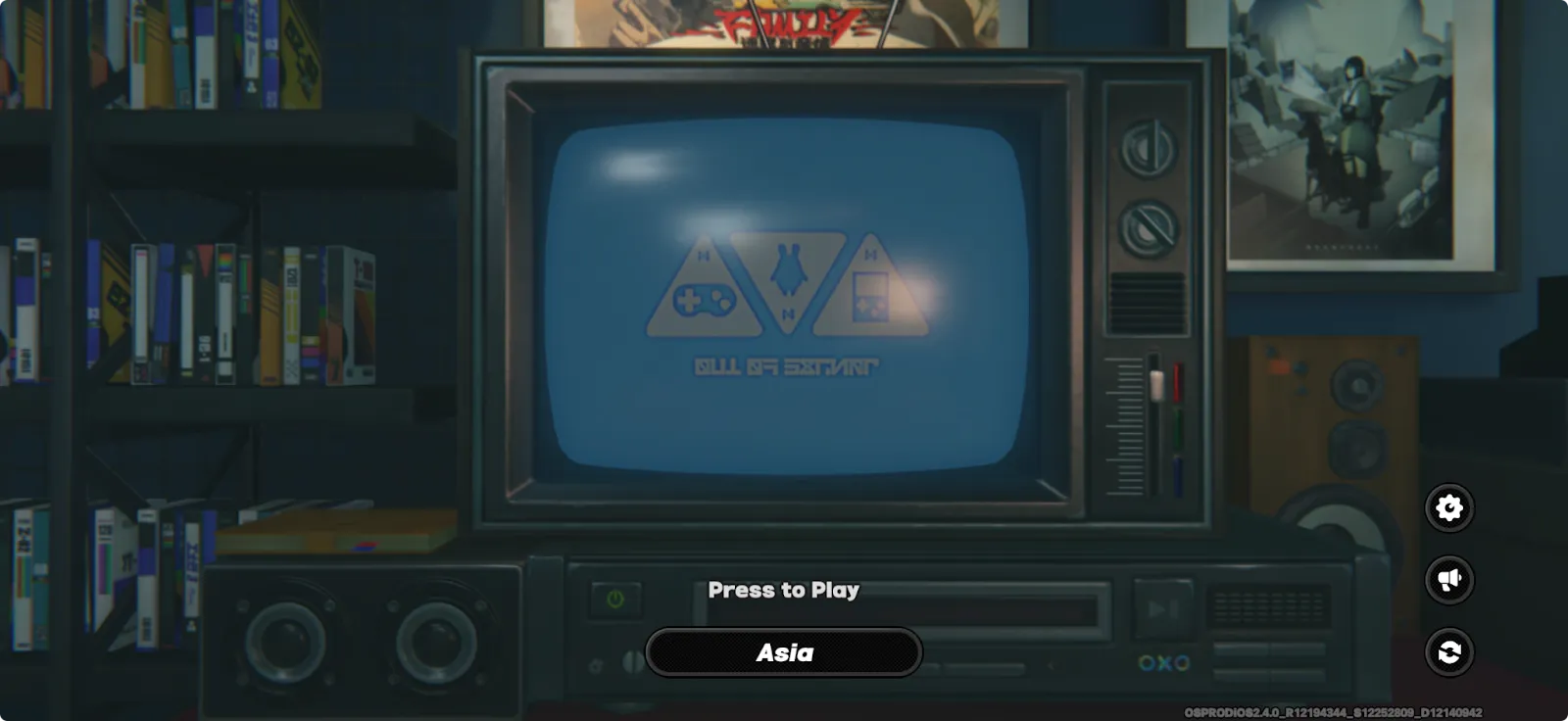
To check your server is easy! Once logged in, on the main title page, it’ll show you the server select screen. The one displayed at the bottom is your current account’s server!
How to Purchase Zenless Zone Zero Monochromes on BuffBuff
Here’s a quick guide to get your ZZZ top up:
Step 1: Select the Monochrome denomiation you want to purchase.
Step 2: Enter your Zenless Zone Zero UID information and select your server.
Step 3: Enter an email address for your BuffBuff transaction.
Step 4: Choose your payment method and complete the payment.
Step 5: In just a few minutes, your Tokens will be delivered straight to your account!
Pricing & Discounts With BuffBuff!
A quick ZZZ top-up nets you some sweet Monochromes, and can make all the difference between snagging your favorite Agent, or helplessly watching the banner slip away.
Early-game progression in ZZZ can feel like running through New Eridu with ankle weights; limited Agents, slow, arduous material gains, and an exciting combat system that only shines once you’ve got a proper team built.
A timely Zenless Zone Zero recharge gives you that extra bit of momentum you need to grab top-tier Agents, W-Engines, and core meta picks as soon as they drop.
But over time, ZZZ top-ups can stack up in costs, especially when chasing Limited banners or Outfits. That’s where BuffBuff steps in, offering lower prices and bonus Monochromes that stretch your budget further!
With BuffBuff, you’re not just topping up Zenless Zone Zero Monochromes, you’re getting more pulls for less, ensuring smoother progression and a head start on the latest patch’s powerhouses!
ZZZ First-Time Purchase Bonus
Zenless Zone Zero has a solid lineup of rewards for first-time purchases in Zenless Zone Zero, particularly for Monochrome top-ups. They give you extra value by providing double the amount of your top-up amount.
For example, if you purchase 1980 Monochromes for the first time in-game, you’ll receive 1980 + 1980 Monochromes in return, totaling 3960 Monochromes.
However, this first-time purchase bonus is only available once for each denomination.
That means you can purchase these Zenless Zone Zero top-up bundles once each to receive the bonus:
-
60 Monochromes x2
-
300 Monochromes x2
-
980 Monochromes x2
-
1980 Monochromesx2
-
3280 Monochromes x2
-
6480 Monochromes x2
About Zenless Zone Zero ZZZ Top Up
Zenless Zone Zero is a free-to-play action role-playing gacha game from Chinese developers, miHoYo. They’re well known for their other games, like turn-based RPG Honkai: Star Rail and the open-world action role-playing game, Genshin Impact.
Zenless Zone Zero is available on multiple platforms, including PS5, Xbox Series S|X, Android, iOS, and PC.
What Are Monochromes Used for in Zenless Zone Zero?
Monochromes are a premium currency in ZZZ and can only be purchased in Zenless Zone Zero. Unlike Polychromes, which are used for recharging Battery Charges and pulling on banners, and can be earned in-game:
-
Monochromes are used for premium resource bundles & unlocking Agent outfits (cosmetic skins).
-
Recharging Polychromes, which should be used to pull on Limited-time Agent/W-Engine banners.
Think of them as a prepaid balance you can turn into “pull currency” whenever you’re ready to roll!
Special Offers & Bundles
-
Ultra Value Bundles: BuffBuff makes topping up ZZZ Monochromes a simple process and has multiple value bundles for the 6480 + 1600 Monochromes recharge, including: x2, x3, x5, x8, and x10 6480 + 1600 Monochrome packs for better long-term savings!
-
Inter-Knot Membership: The Inter-Knot Membership is a monthly (30-day) subscription that awards x300 Monochromes instantly and x90 Polychromes daily, totalling 2700 Polychromes if redeemed every day!
-
If you fail to redeem a daily reward, your x90 Polychromes for the day are lost and not refunded.
-
Only available for purchase when the remaining effective period is less than 179 days.
-
If Inter-Knot Membership is equal to or greater than 179 days, it cannot be purchased; but in the event it is purchased, the membership will not extend, and players will receive 330 Monochromes as compensation.
-
-
Free Rewards: You can get free gifts by redeeming the working Zenless Zone Zero codes.
Is using this website to purchase Zenless Zone Zero safe?
Indeed. Your account and transaction information are kept safe since all payments are handled through authorized and secure channels.
How quickly will my Zenless Zone Zero top-up arrive?
After making Zenless Zone Zero cheap top up on BuffBuff, Monochromes are typically sent out right away following a successful payment. Rarely, depending on the payment source, it could take a few minutes.
Is it possible to give a Zenless Zone Zero top-up as a present?
It is possible to buy a top-up for a different player. Before checking out, just be sure to enter their exact User ID and server.
User Reviews


Trending News

Zenless Zone Zero Codes (March 2026) – All Active & Expired Codes for ZZZ 2.6
2026-03-03

How to Get Cheap Monochromes for ZZZ 2.6 | Safe Top-Up Guide
2026-03-03

Zenless Zone Zero 3.0 Roadmap: Void Hunters, Lady Sunbringer & New Region
2026-02-26

ZZZ 2.7 Banner Schedule | Should You Save for Nangong Yu, Cissia, or Reruns?
2026-02-24