


 Log in to get 50 points (0.50 USD) + 1 points (0.01 USD)
MARVEL MYSTIC MAYHEM





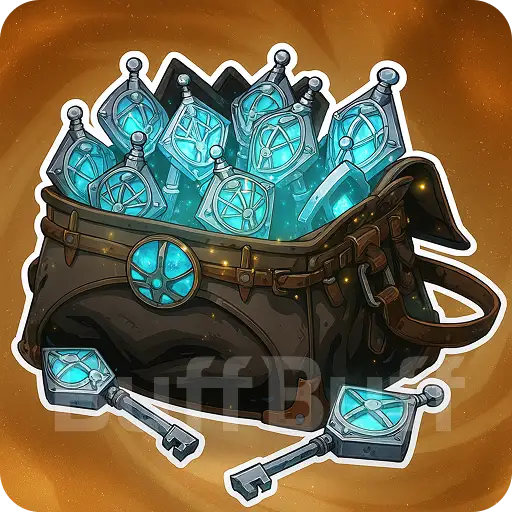


How to top up MARVEL MYSTIC MAYHEM on BUFFBUFF?
Top-up Needed Information
1. Choose your desired product.
2. Select the login Model, such as logging with NetEase Game, Google, or Facebook.
3. Enter the following info:
● Game UID
● Password
● User ID
4. Select the payment method, and click "Top Up" to complete the payment.
5. Head to the order center, and check the top-up status or enter required information. When it's completed, check the result in the game.
6. Feel free to contact us at:
📧 service@buffbuff.com or Telegram.
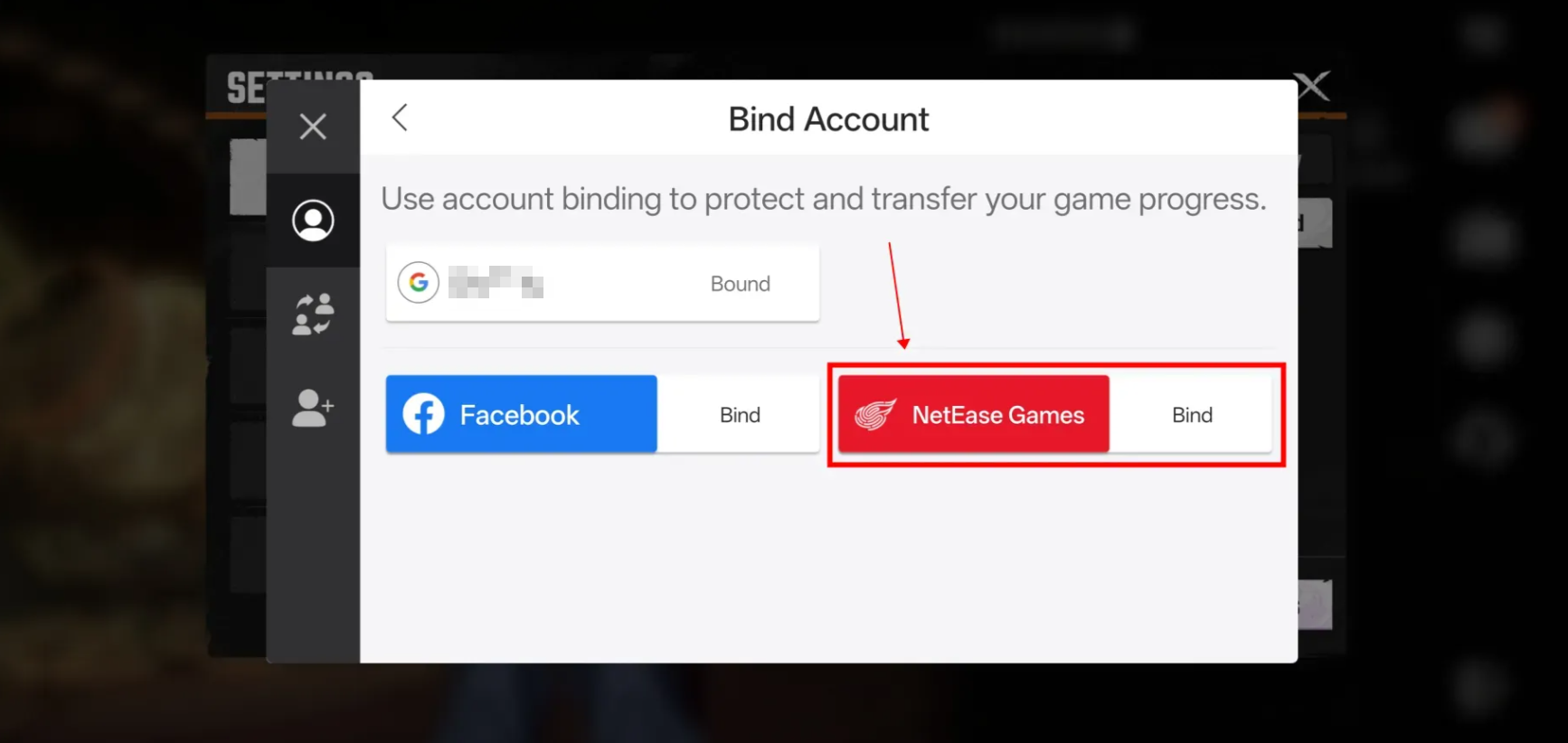
How to bind NetEase Games Login Method?
You only need to do this once to enjoy faster top-ups.
Binding your NetEase Games account allows us to top up your account faster without having you provide complex verification information.
Please follow the guides below:
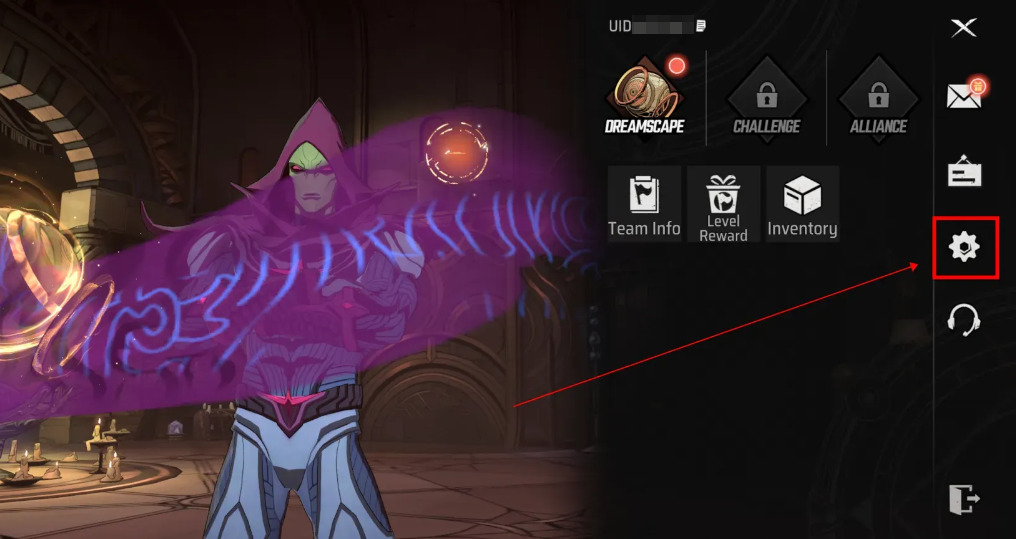
Step 1: Click the cog icon on the left taskbar.
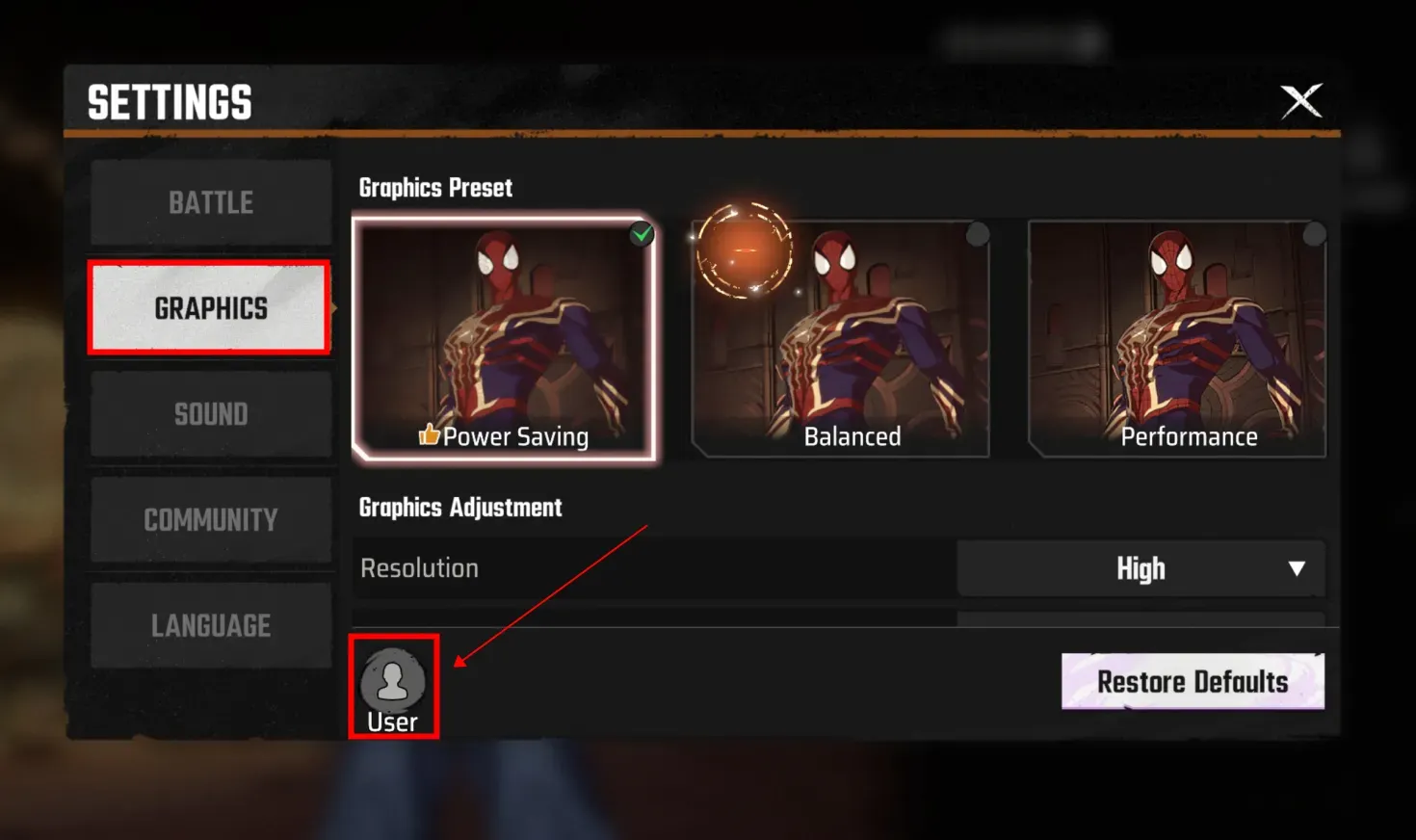
Step 2: Head to GRAPHICS > User.
Step 3: Choose Bind Account.
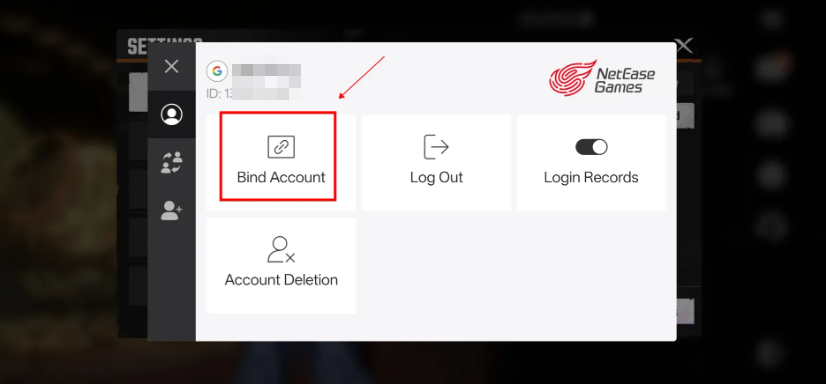
Step 4: Choose NetEase Games to bind.